
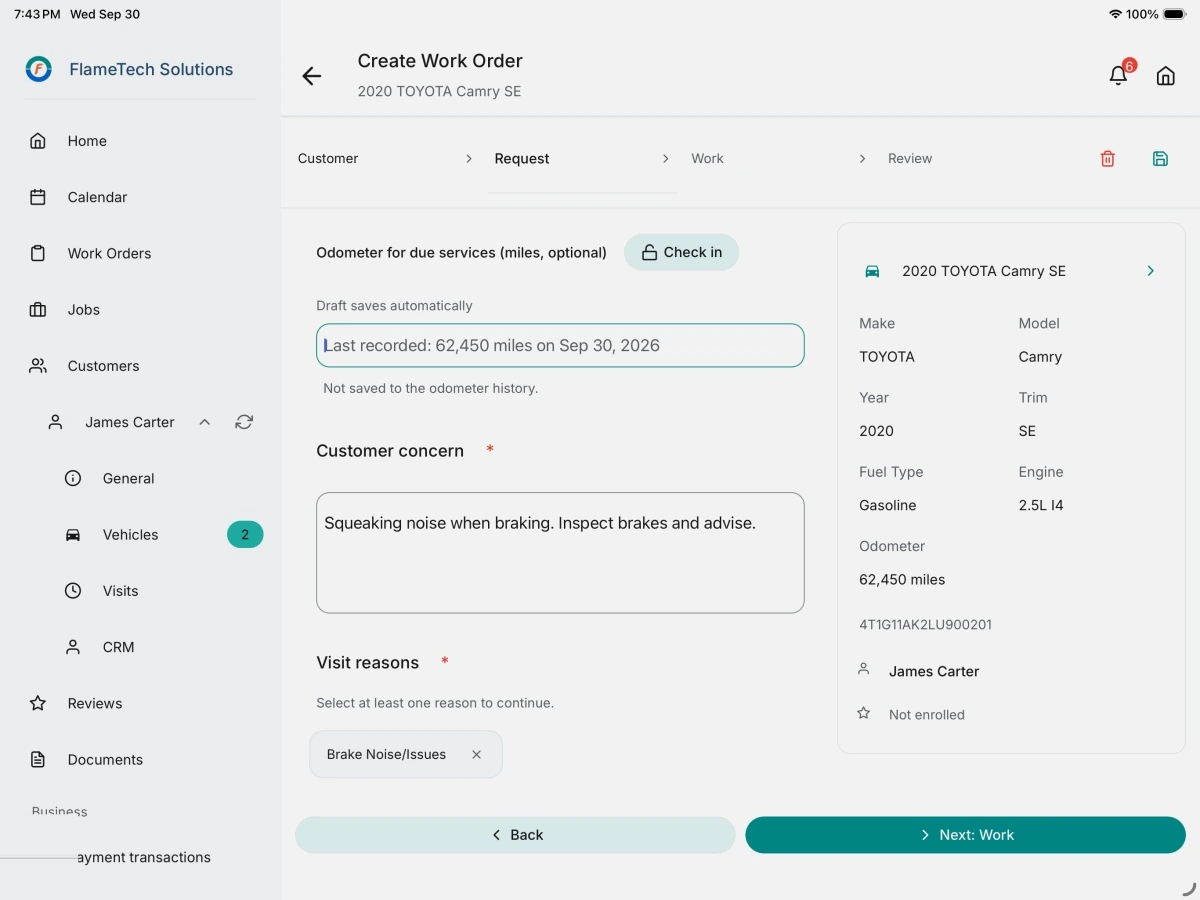
Three app screens, in visit order
-
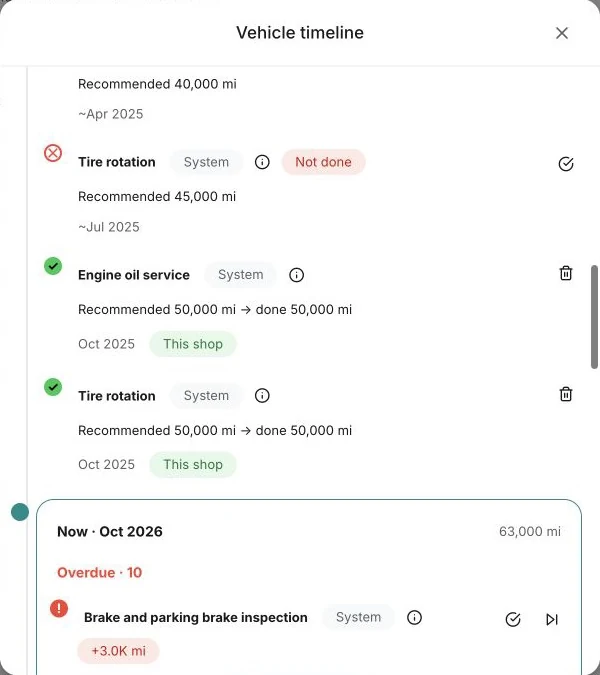
What is due, before the car is on the lift. -
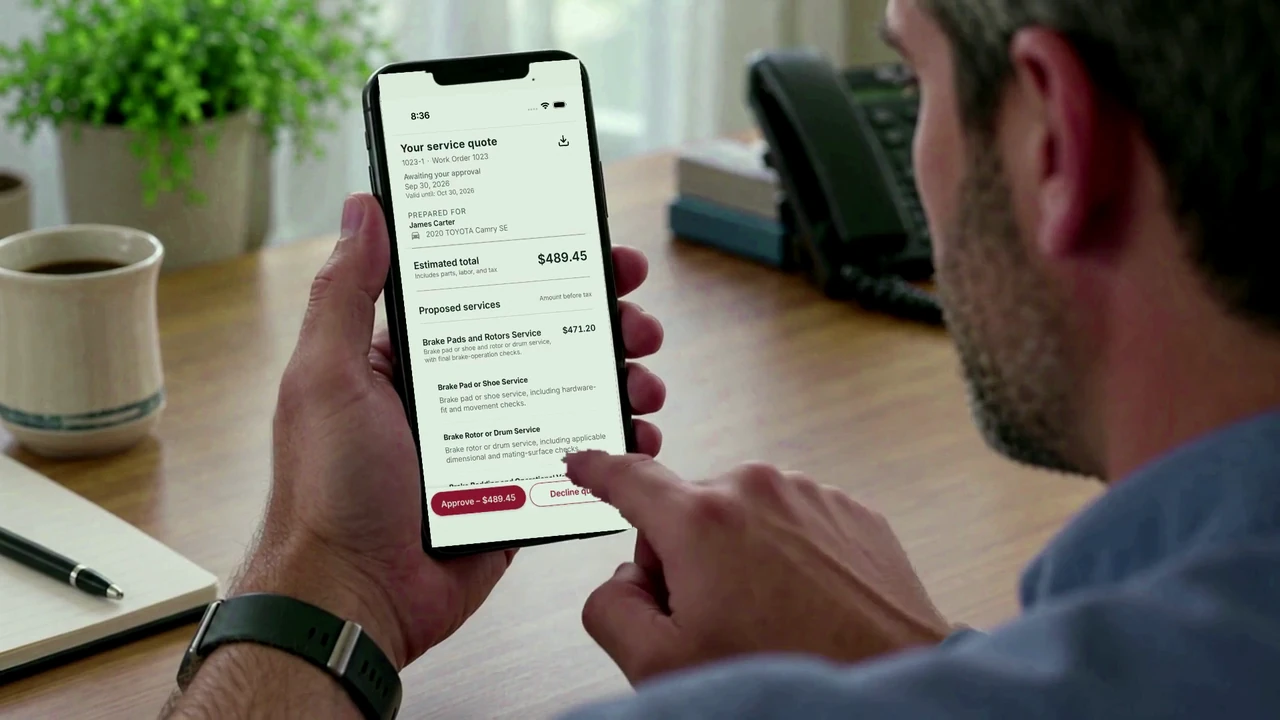
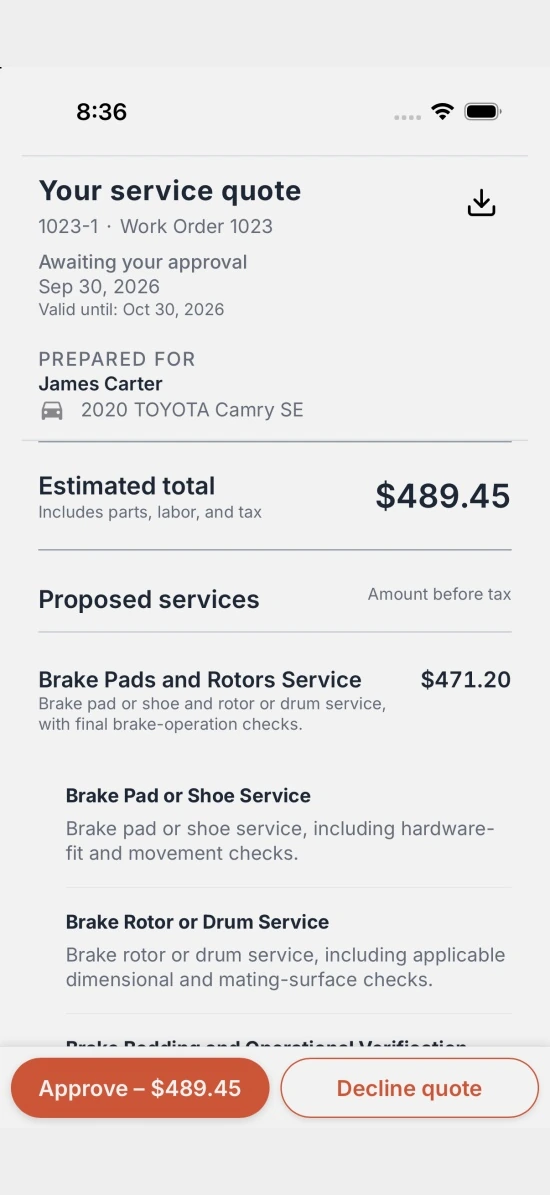
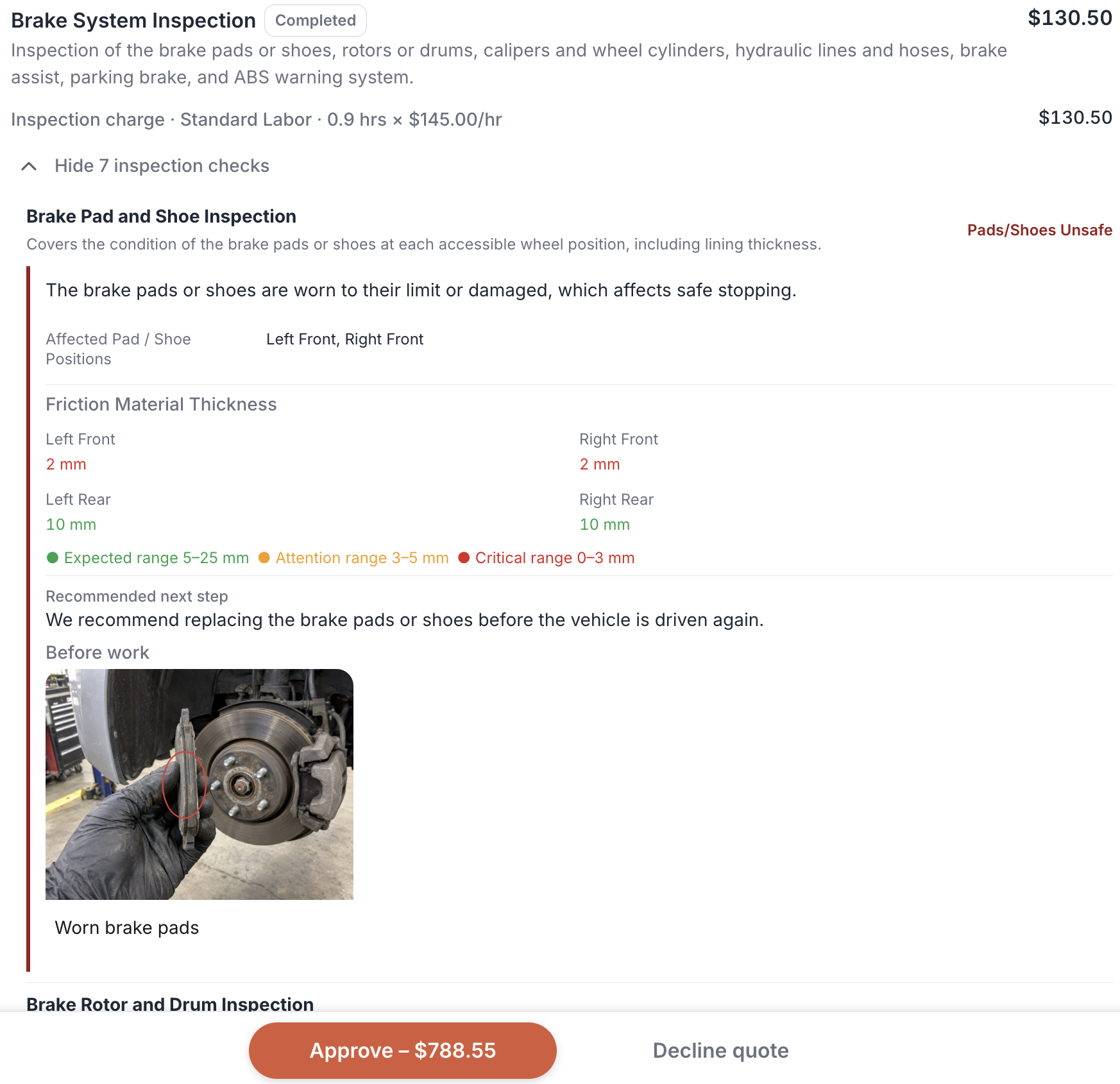 Enlarge the customer quote
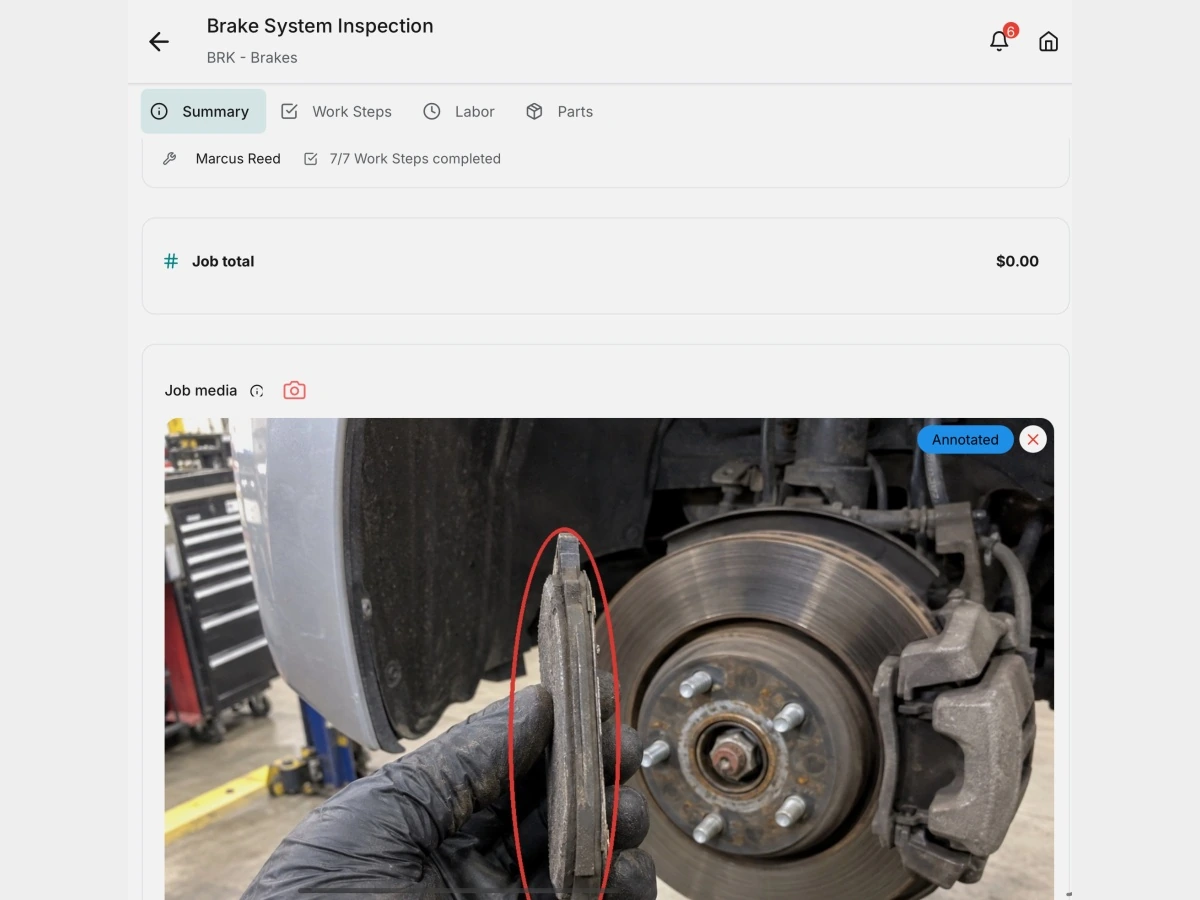
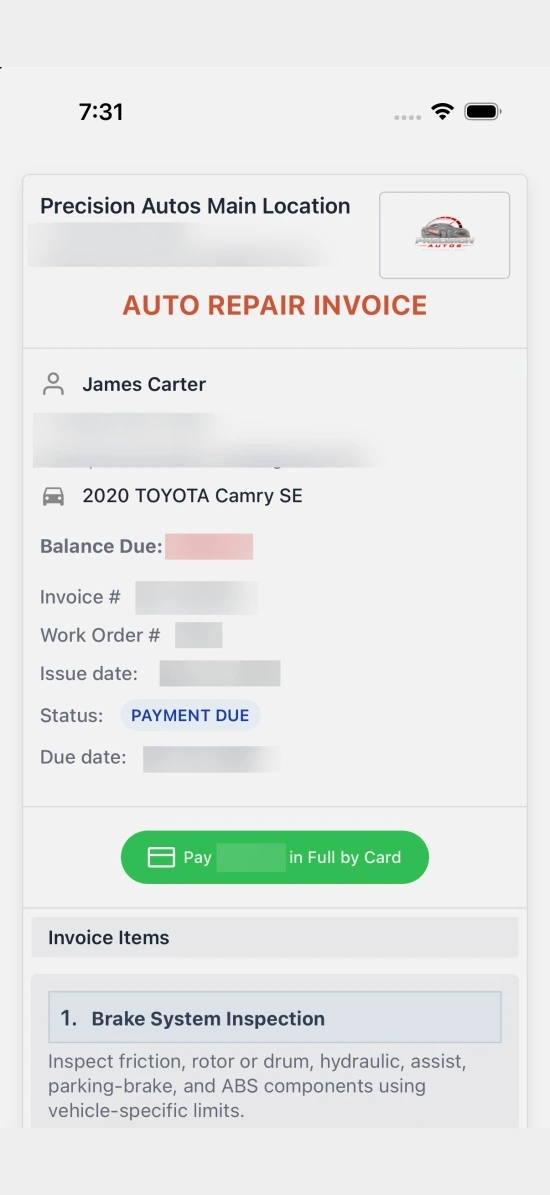
The evidence the customer approves from their phone. -
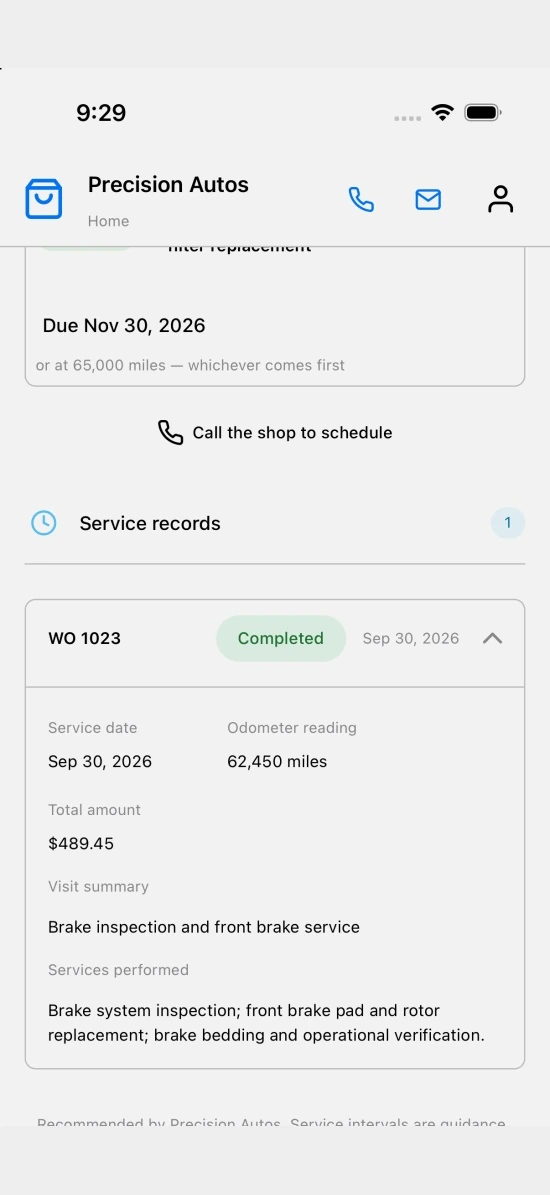
History, quotes, invoices and the next reminder.
Real app screens with fictional demo records and illustrative demo pricing.
For small independent auto repair shops
Know what every car needs. Show the customer why.
A service timeline shows what each car needs at today’s mileage. Inspection photos and measurements become the quote the customer approves from their phone. Job templates keep every quote and job consistent, including templates other shops share.
Three app screens, quote first
-
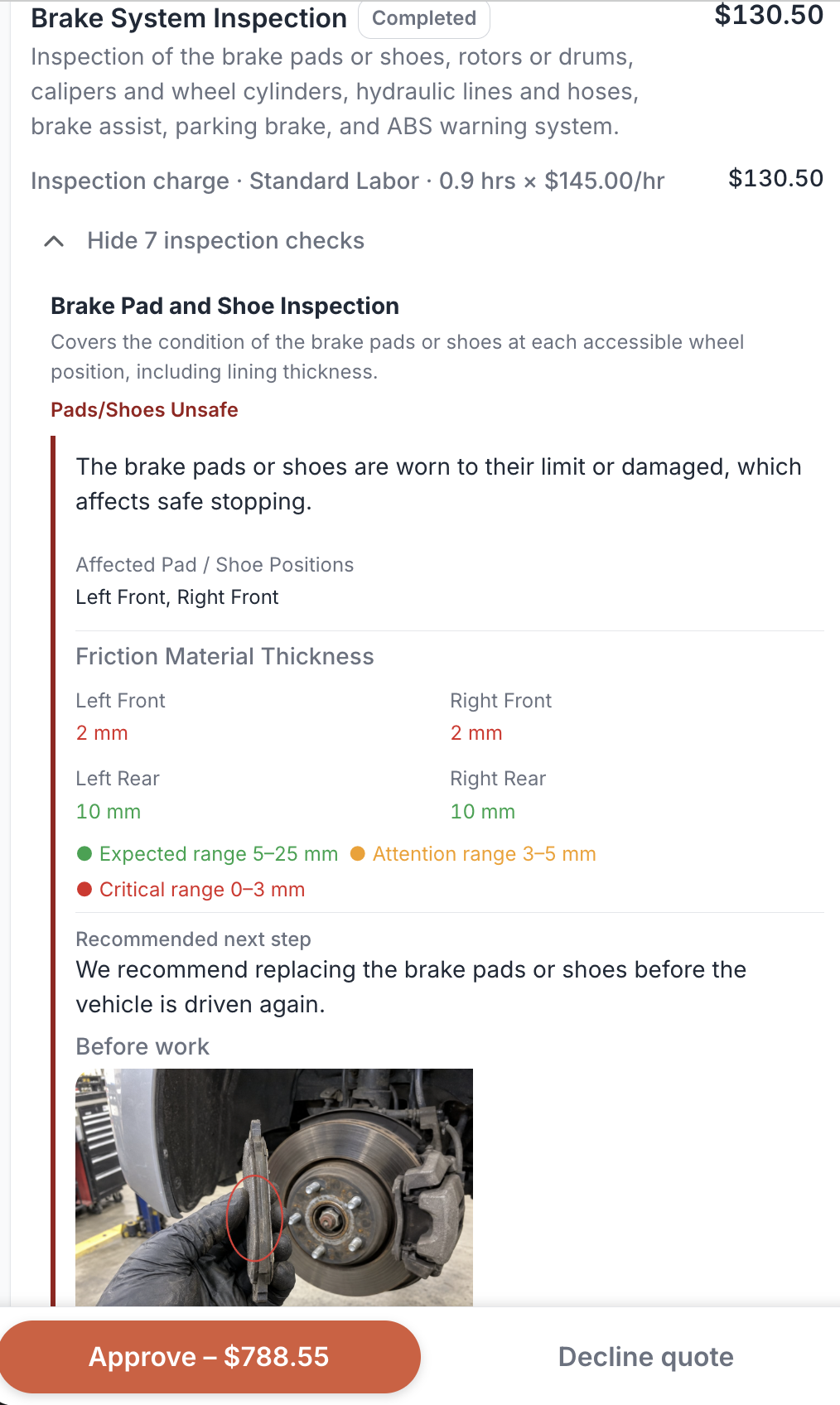 Enlarge the customer quote
The evidence the customer approves from their phone. -
What is due, before the car is on the lift. -
History, quotes, invoices and the next reminder.
Real app screens with fictional demo records and illustrative demo pricing.
Founding shop offer
Free for your first 12 months, then $15 a month per shopOne plan with everything on this site. No credit card. Cancel anytime. Price guaranteed for your first paid year.
Built by one founder, no sales team. The product has to sell itself.
As a founding shop, you also get
- A 30-minute setup call with the founder
- A direct line to the founder for problems
- Your requests considered first
Watch one brake concern move through the shop.
Read the transcript
Turn customer concerns into scheduled work.
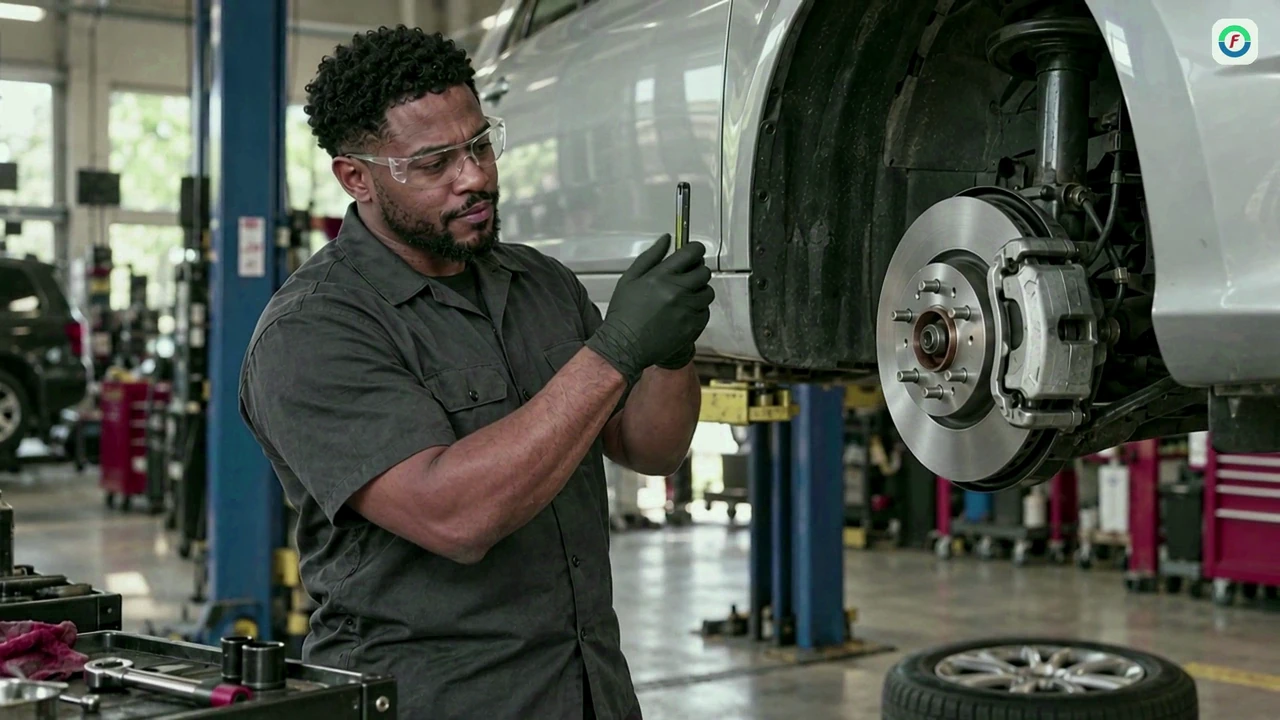
Technicians capture inspection findings, measurements, photos, and videos using the mobile app.
Build detailed, compelling quotes customers can review and approve from their phone.
Complete the work and attach proof of repair.
Collect online payments with Stripe and sync records with QuickBooks.
Capture customer feedback after every visit.
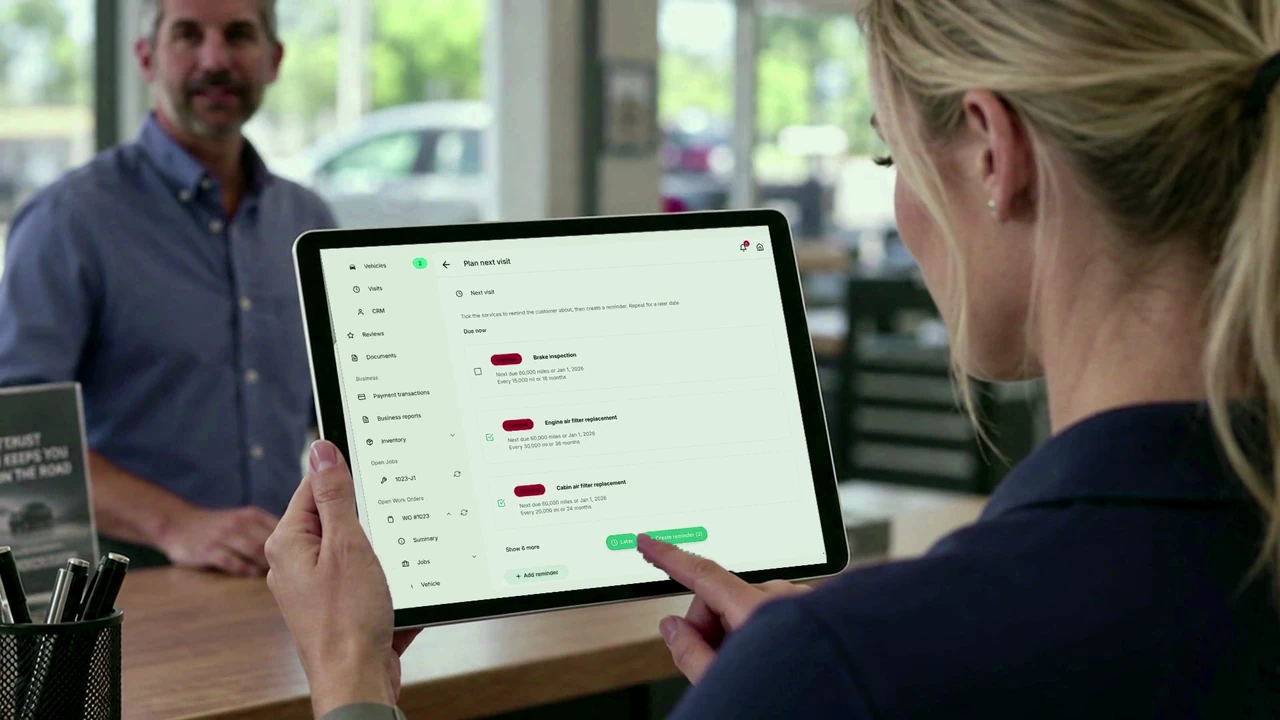
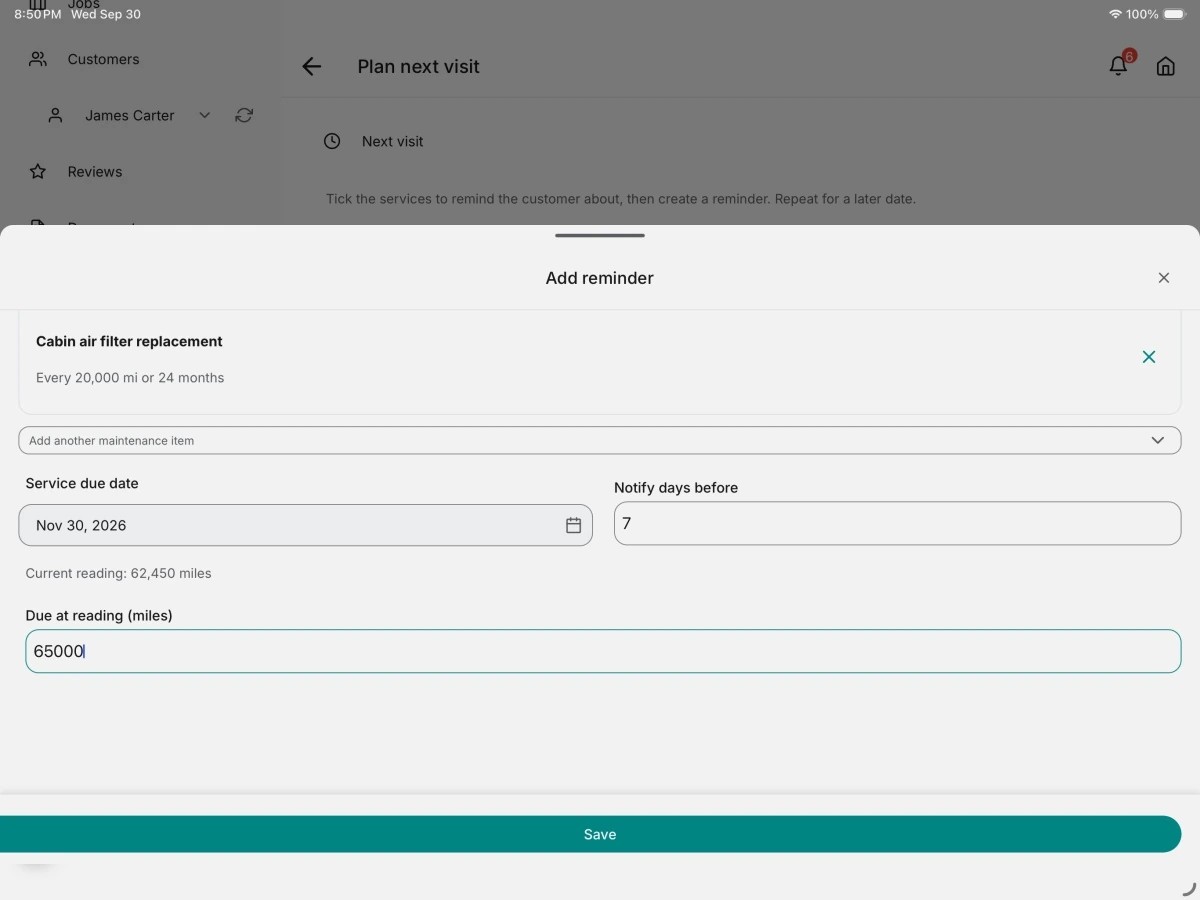
Set the next service due date and schedule an automatic reminder.
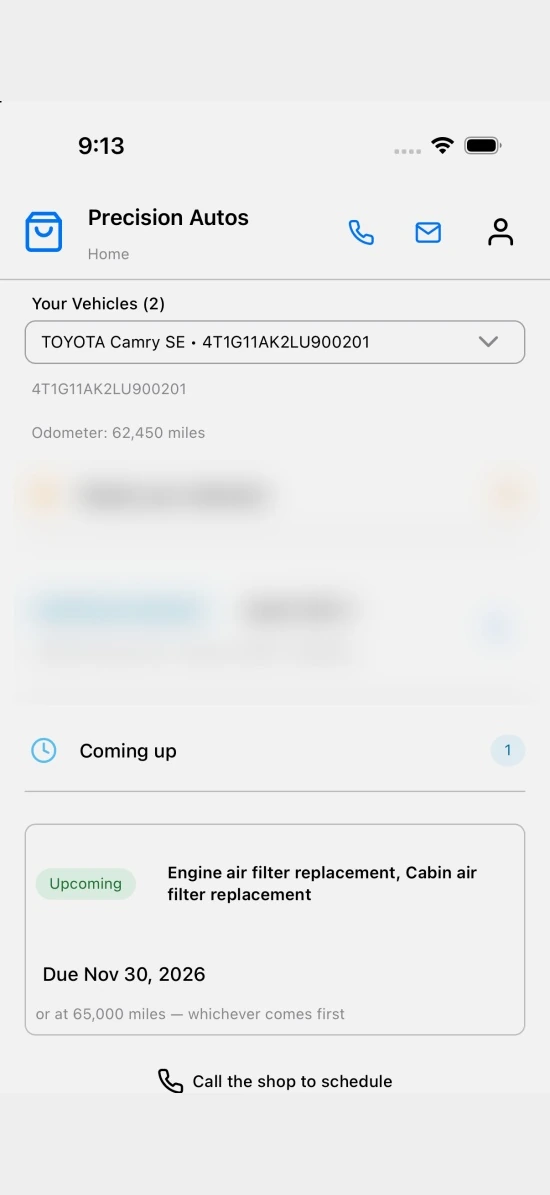
Customers can view vehicle history, see upcoming reminders, and request their next appointment—anytime.
Run your business from anywhere, with full functionality available on mobile and desktop.
Try FlameTech free today.
AI-generated illustrative footage and Cedar narration. Actual application screenshots.
Every handoff.
One connected visit.
A customer hears a squeak when braking. Follow the work from the front counter to the bay, their phone, and the next service.
Start with the concern. Give the team a clear plan.
Find the customer and vehicle, capture the concern, and schedule the work. Assign the inspection so your technician knows what comes next.

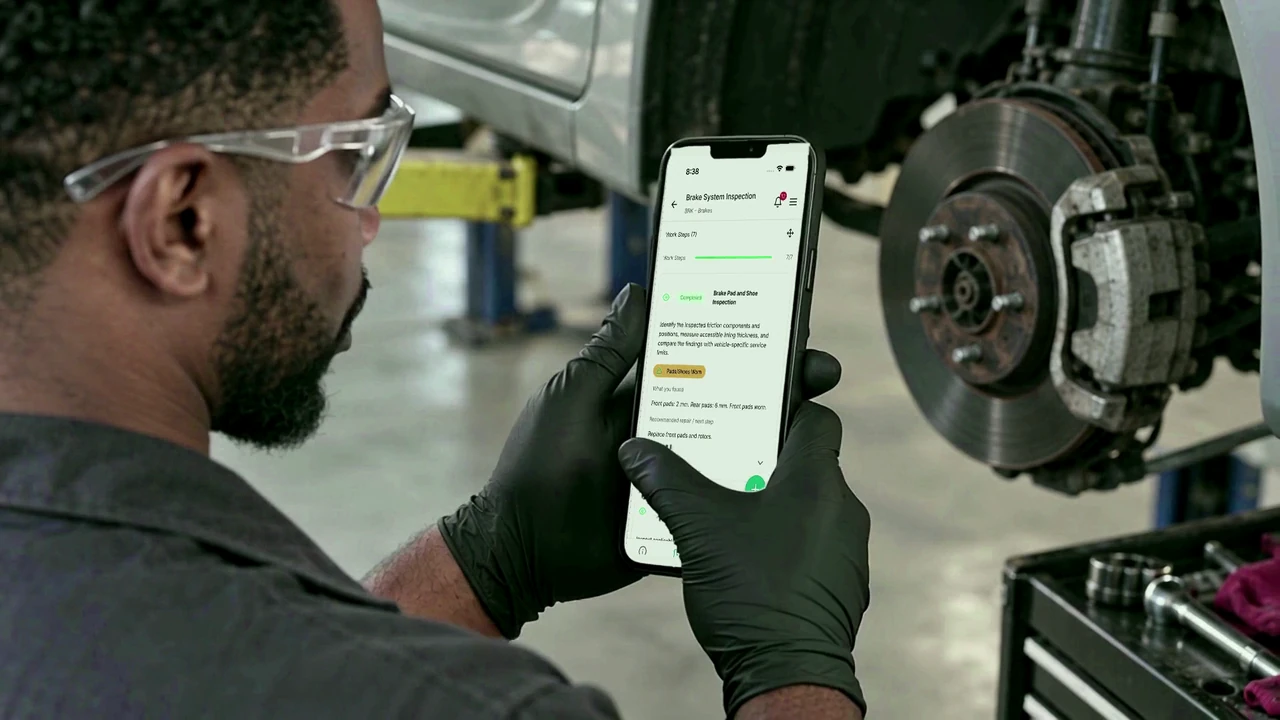
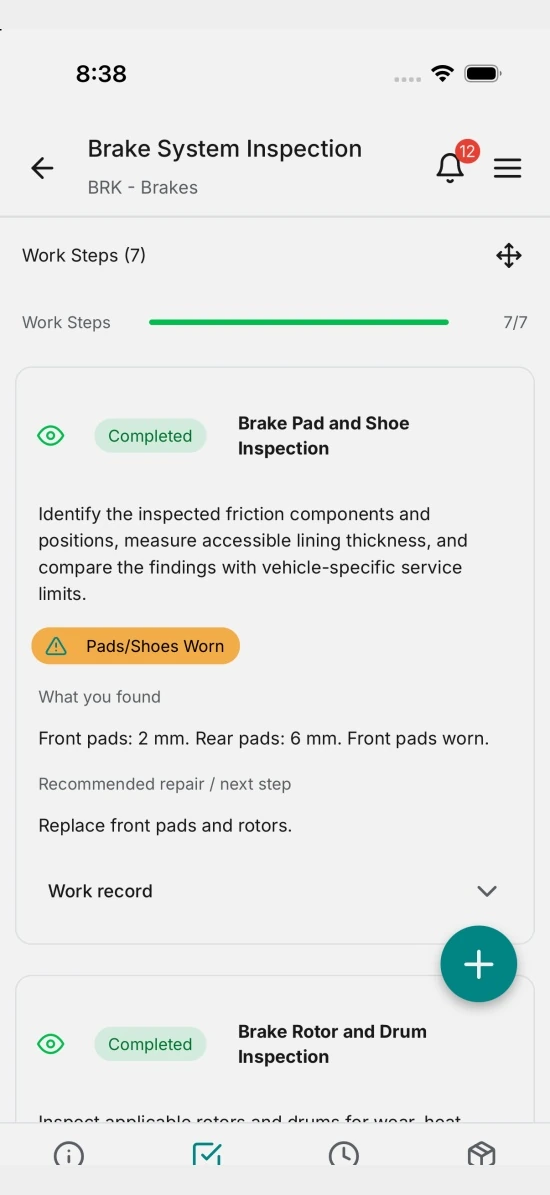
Show customers what your technician sees.
Record measurements and findings from the mobile app. Add photos and videos that help the service advisor explain the recommendation.
Make the quote a conversation customers can see.
Bring inspection evidence, recommended jobs, parts and labor into a clear quote. Customers review the details and approve from their phone, even when they’re away from the shop.
Keep the handoff clear. Keep the proof with the job.
Mark approved jobs ready to start. Your technician follows the work steps, records the repair and attaches proof before completing the job.
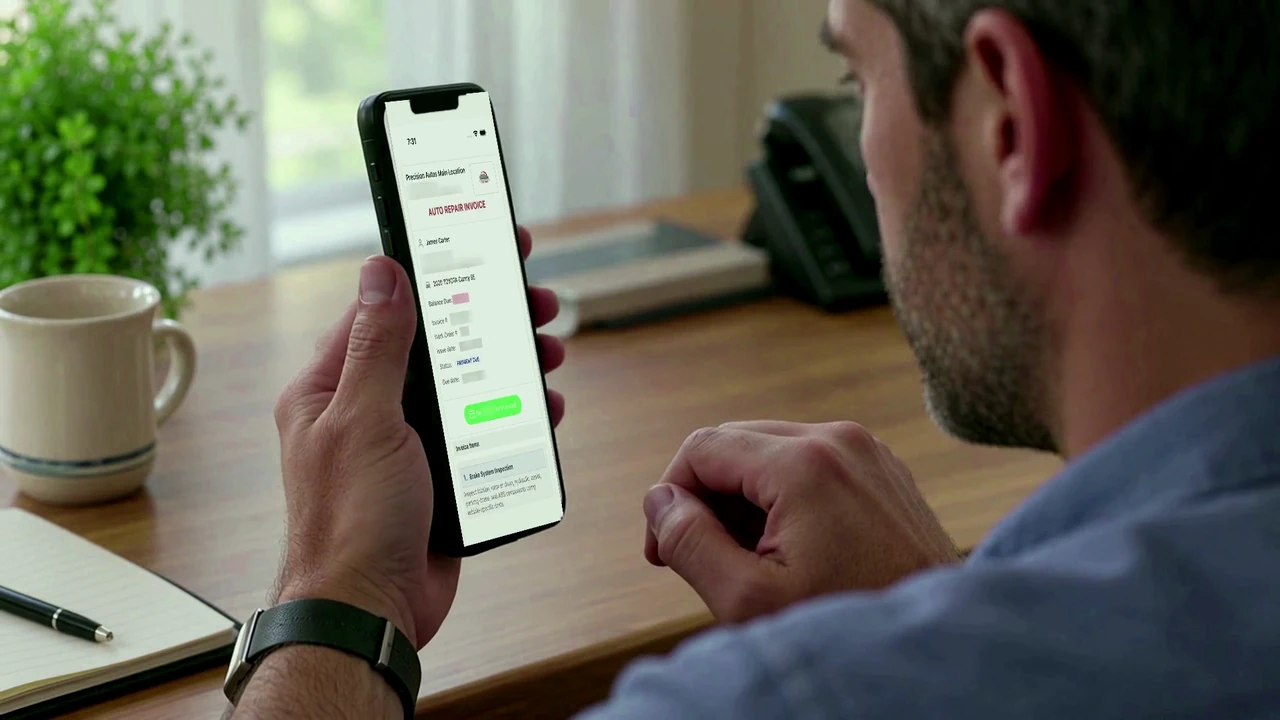
Let customers pay without another trip to the counter.
Send the invoice link and offer online card payment through Stripe. Connect QuickBooks to sync supported financial records with your accounting workflow.
Finish this visit. Plan the next one.
Capture visit feedback, save the service history, and set the next service due date with an automatic reminder. Give customers a reason to stay connected to your shop.
Online payments with Stripe
Let customers pay from an invoice link.
Accounting with QuickBooks®
Sync supported financial records after setup.
Connect your shop’s accounts to use these integrations. Provider fees and terms may apply. QuickBooks is a registered trademark of Intuit Inc.; FlameTech is not endorsed or approved by Intuit.
Know what’s due before the car is on the lift.
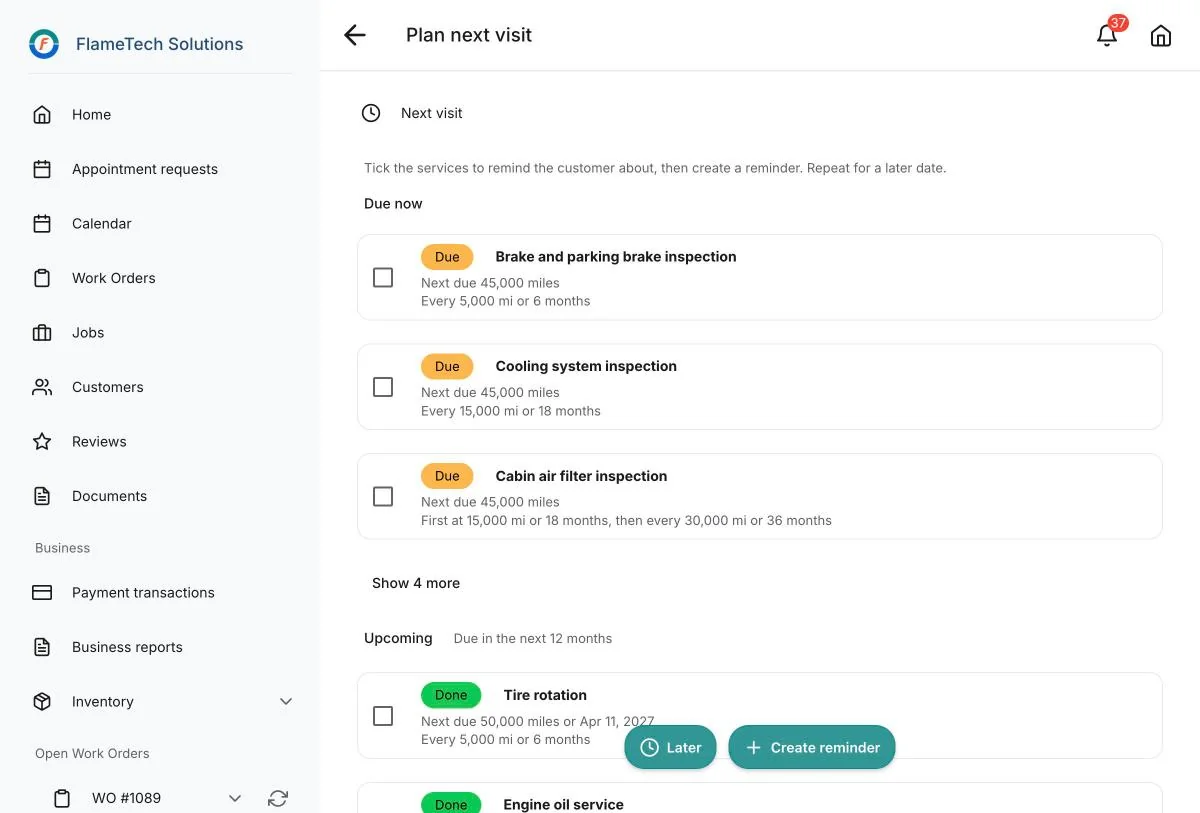
Every vehicle has a timeline: the services done here and the services due or overdue at today’s mileage. Advisors review it with the customer at check-in, and the next visit is planned when the work order closes.
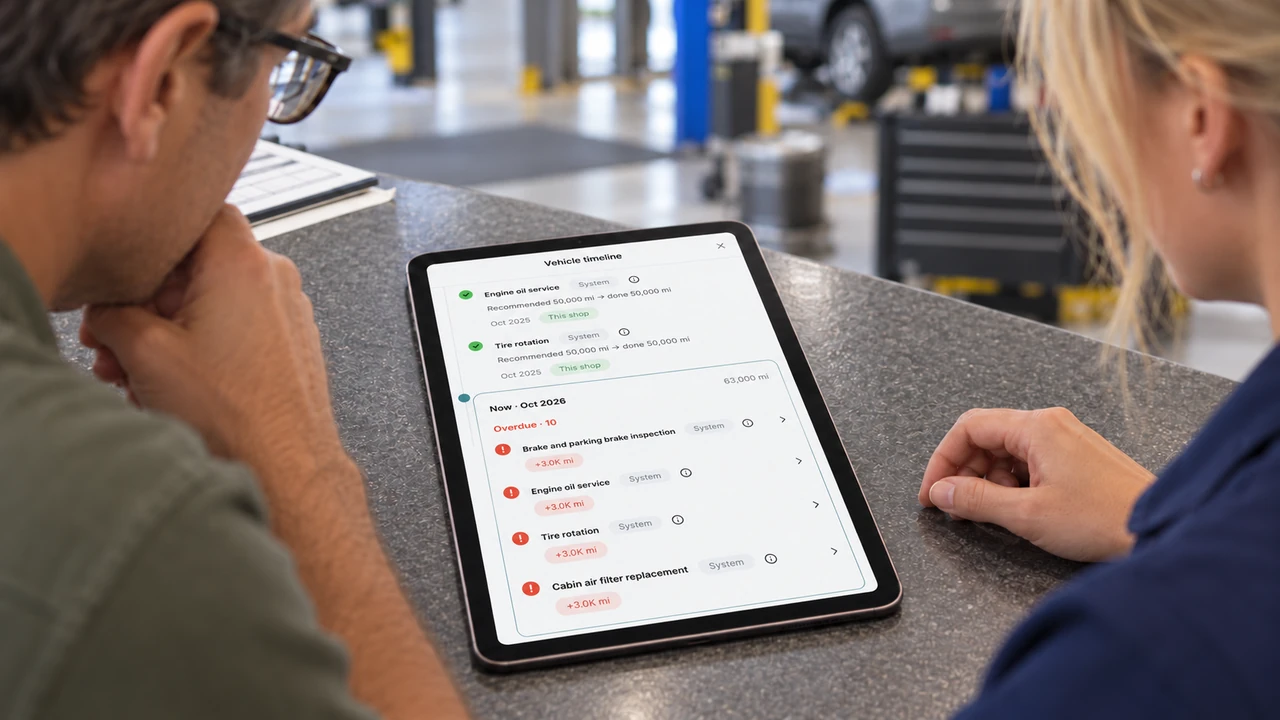
At check-in.
A 63,000-mile check-in shows what was done at 50,000 and what is now overdue, so the advisor can offer it while the customer is still at the counter.
Why it matters.
Each item carries its interval and how far past due it is, so the recommendation explains itself without a sales pitch.
At completion.
When the work order closes, the services due for the next visit become the reminder before the customer leaves.
Keep customers coming back.
Give customers easy access to their vehicle’s service history, make their next appointment easy to request, and remind them when service is due.
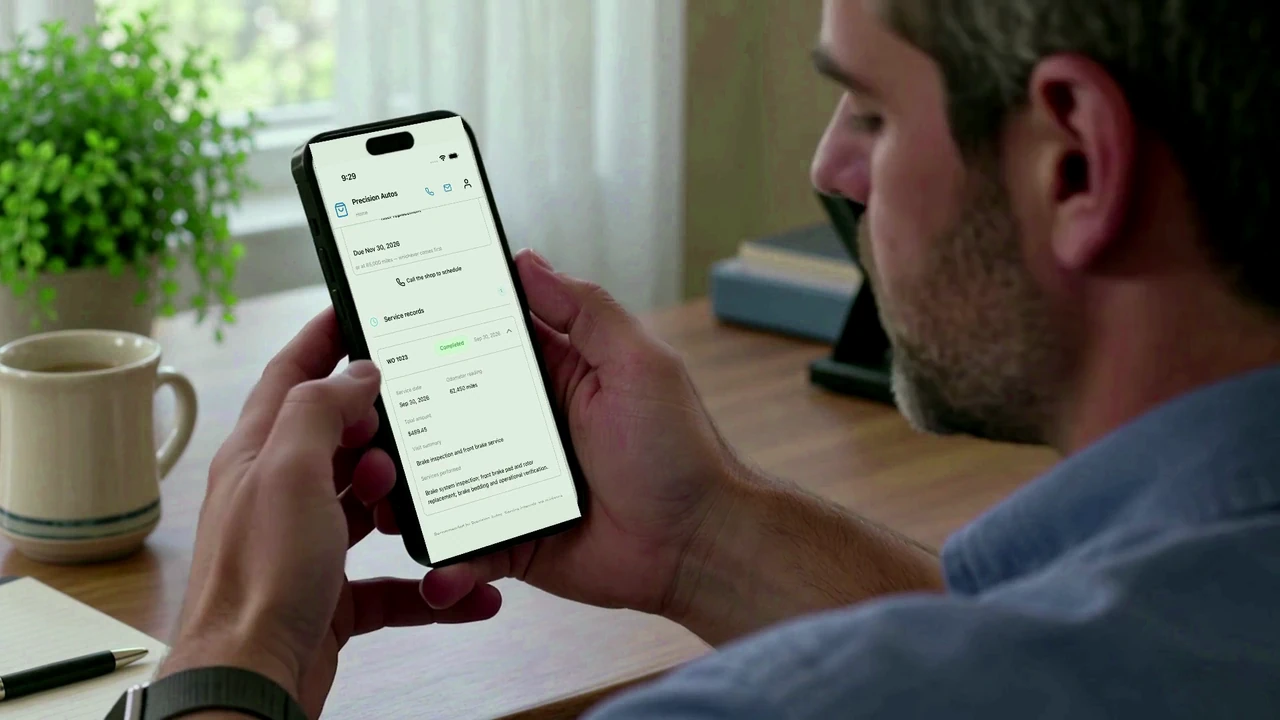
Customer portal
Let customers sign in anytime to view service history, quotes, invoices and upcoming reminders.
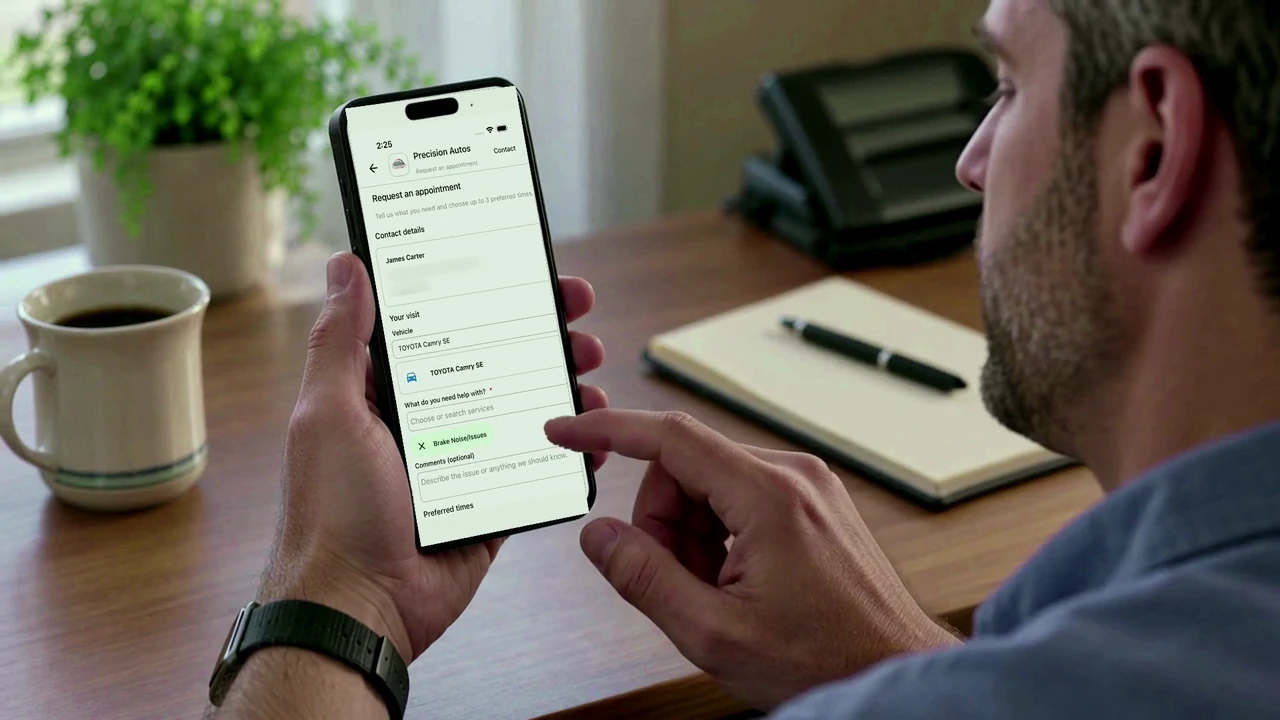
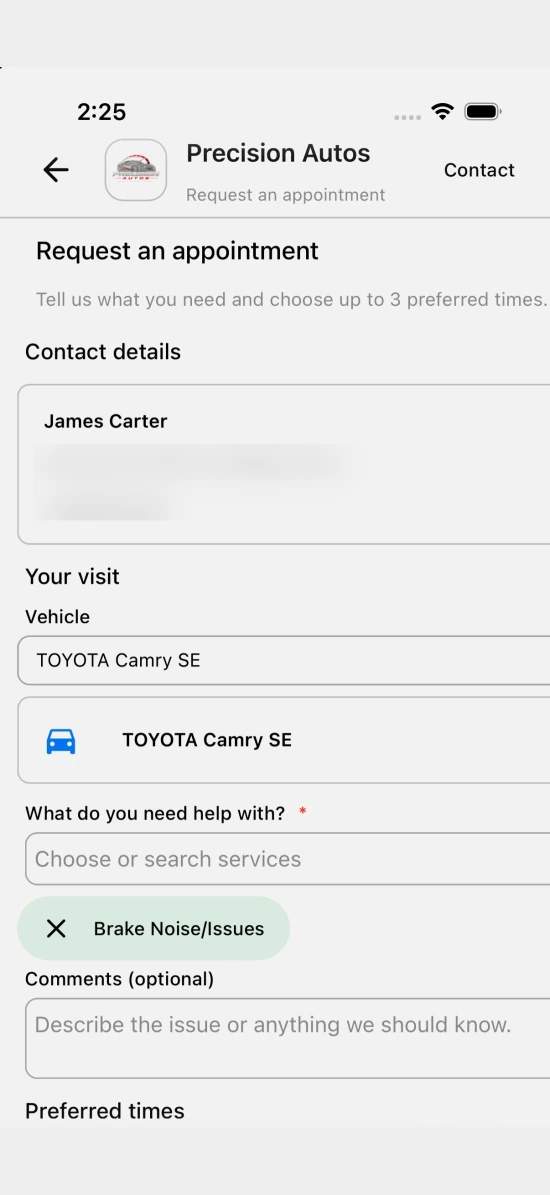
Appointment requests
Customers choose their vehicle and describe what they need when requesting their next visit.
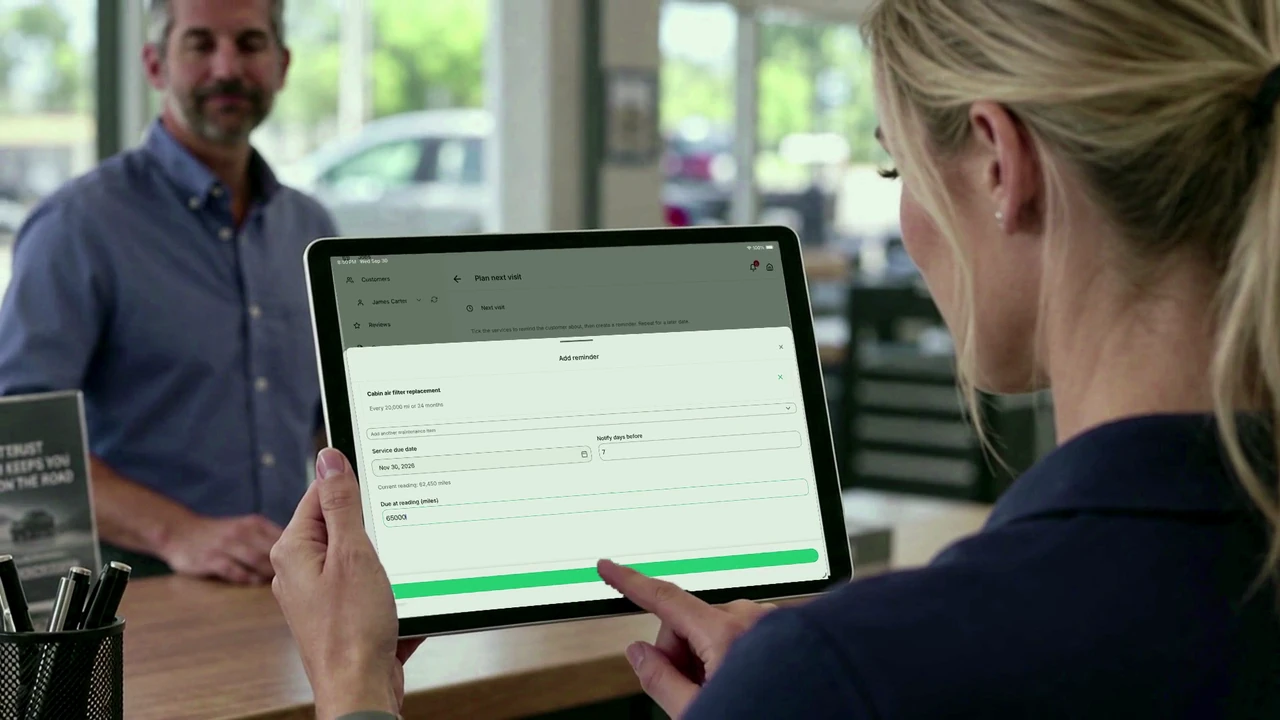
Service reminders
Set the next service due date and schedule an automatic reminder. Customers can see what’s coming up in their portal.
At the counter.
In the bay. On the go.
Run your business from anywhere, with full functionality on mobile and desktop. Stay close to the work without staying at a desk.
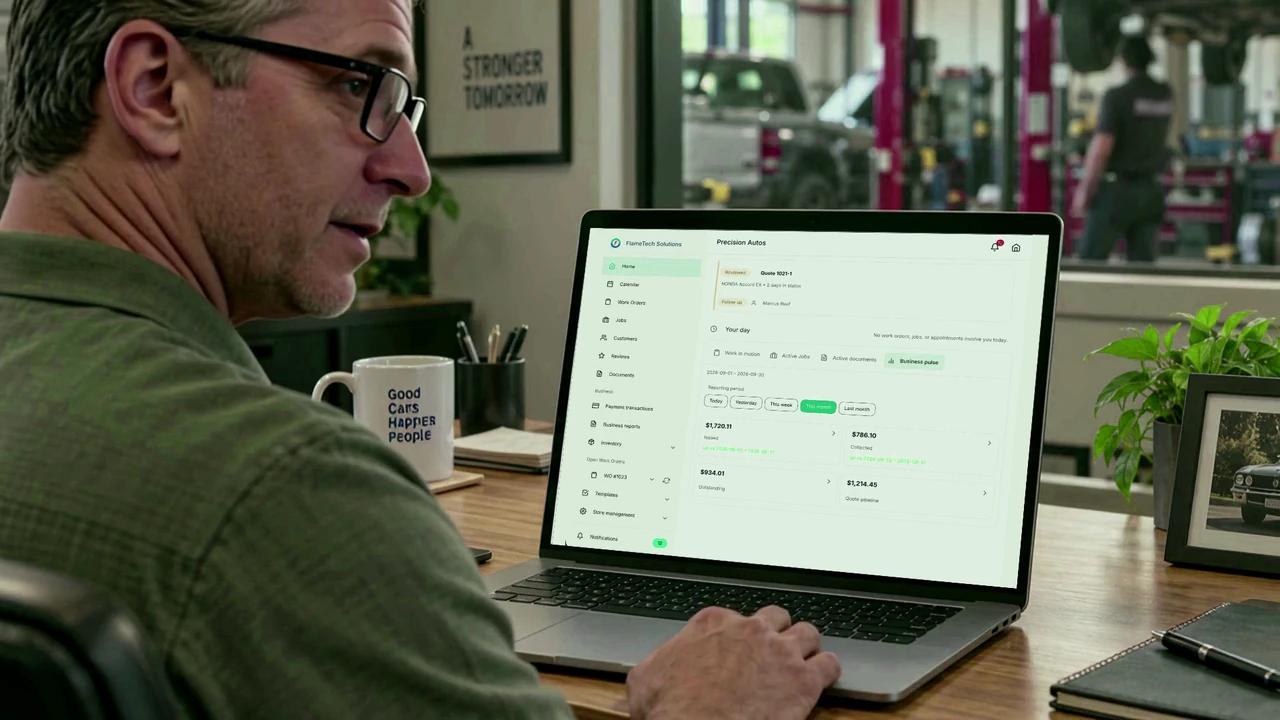
A clear view at the shop.
Review the day’s work from your desktop.
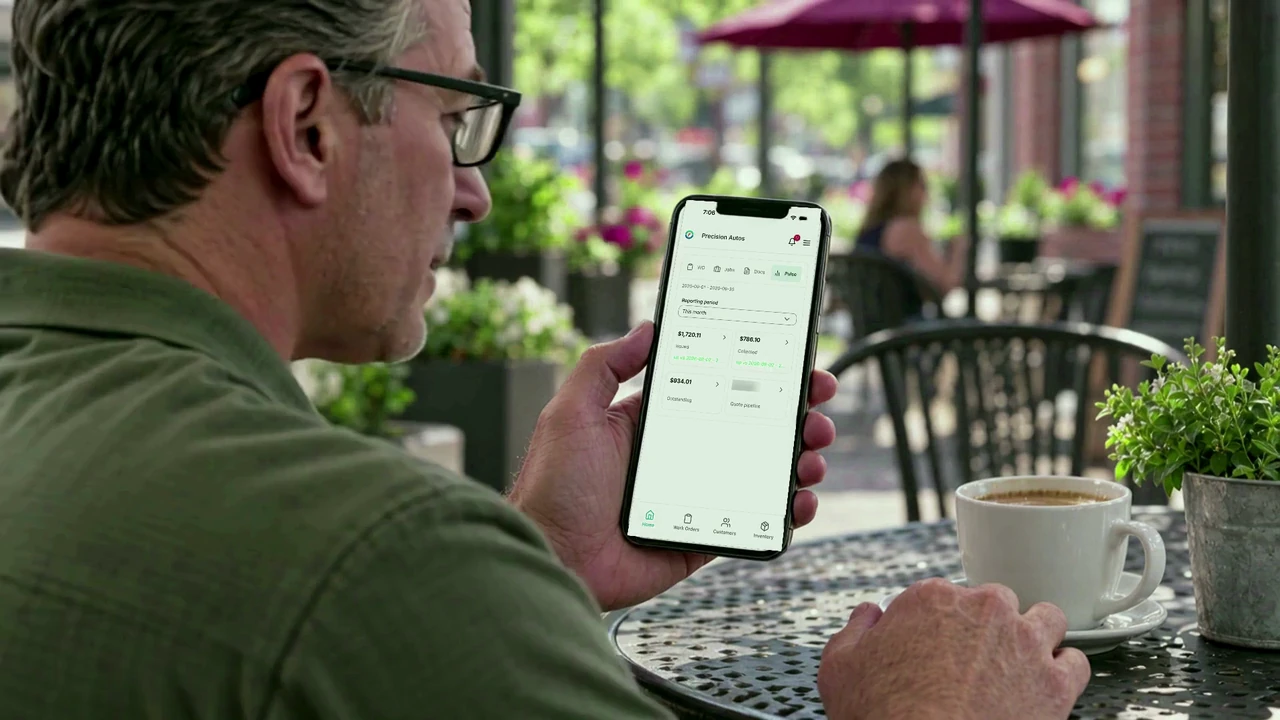
Still connected when you step out.
Take the same view with you on your phone.
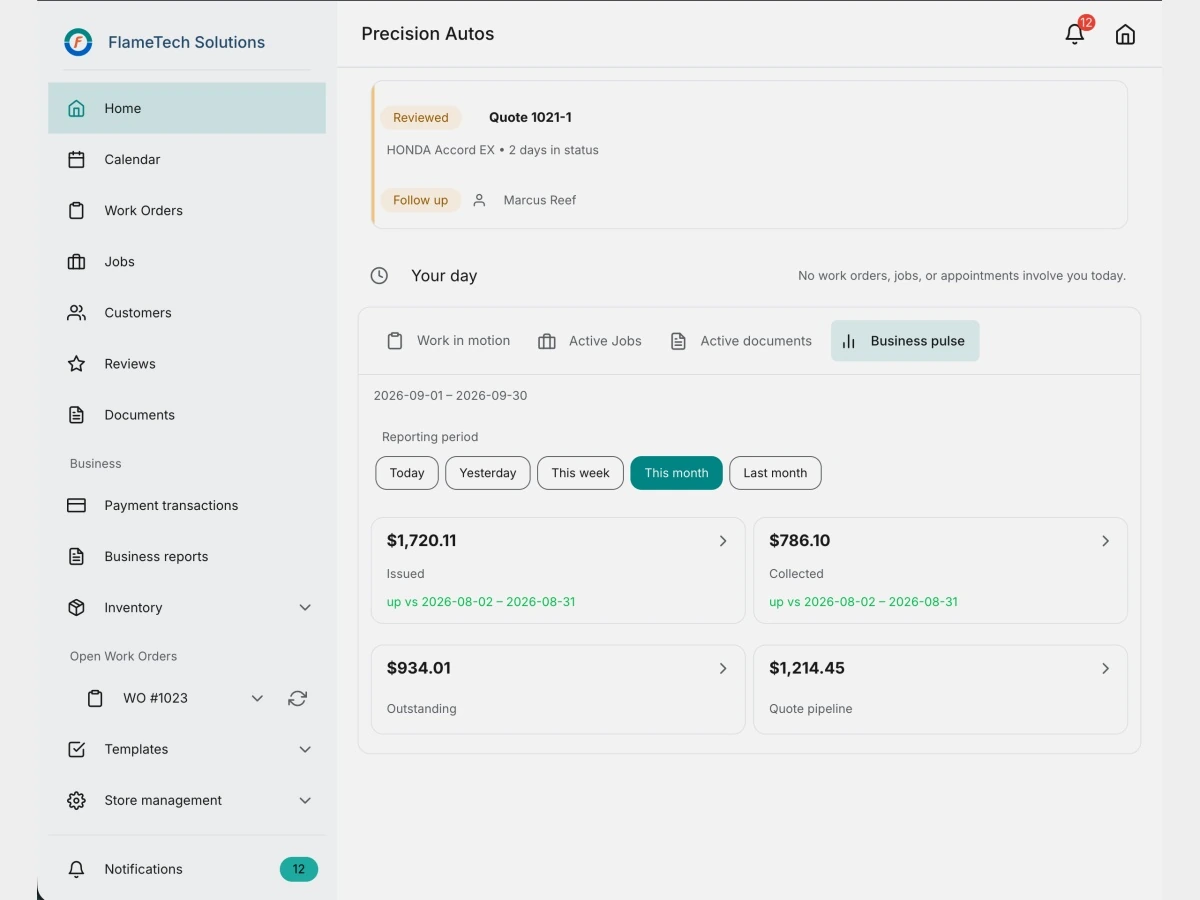
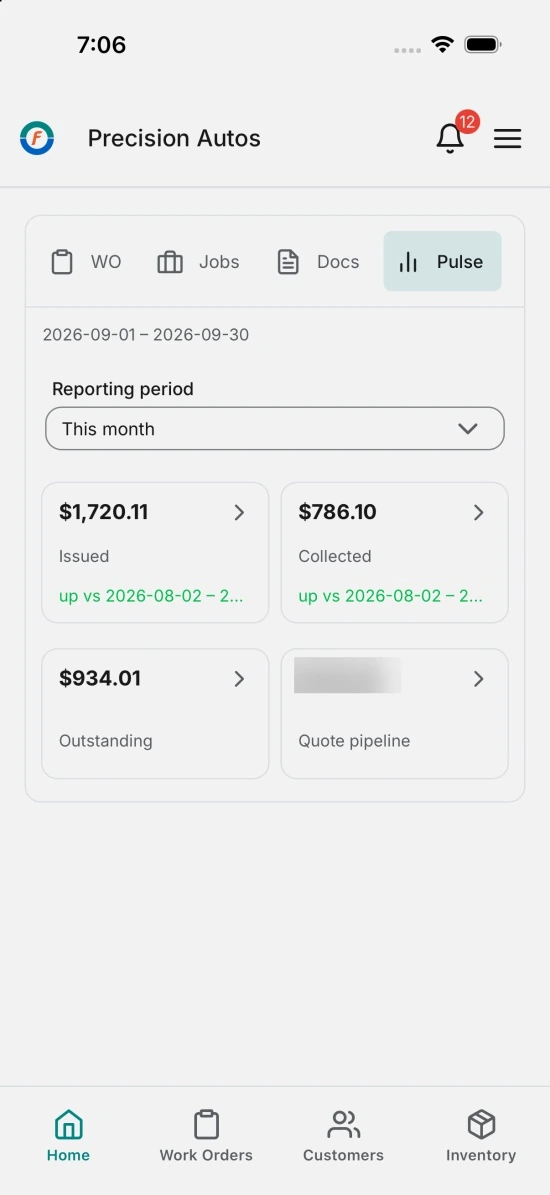
Access depends on each team member’s role and permissions.
Your shop’s standards.
Every job.
Service Packages give every advisor and technician the same jobs, work steps, parts, labor and required evidence on every visit.
See what goes into a Service PackageSee your standards in action.
Read the transcript
The same job shouldn't depend on who writes the quote—or who does the work.
With FlameTech, create and customize templates around the way your shop works.
Define work steps and required inspection measurements. Choose the evidence your team needs before, during, and after the work.
Give every service advisor a consistent starting point for the job, parts, and labor.
Your technicians must record the required information and evidence before marking the work step complete.
Use those findings to build clear, detailed quotes—so customers can see the problem and approve with confidence.
Then capture the completed repair, showing customers what changed and helping build trust.
Your shop's standards. Every job. Every customer.
Try FlameTech free today.
AI-generated illustrative footage and Cedar narration. Actual app screens; demonstration data.
Free for your first 12 months.
Then $15 a month per shop. One plan with everything on this site. One offer per business.
Start 12 months freeNo credit card. Price guaranteed for your first paid year. Cancel anytime.
One plan. Everything on this site is in it.
Customers and vehicles, work orders, inspections, quotes, invoices, service history, inventory, reports, Service Packages, online payment and the customer portal. Storage and monthly allowances are listed on the pricing page.
Clear terms for what comes next.
The free period starts when the business account is created. The plan is $15 a month per shop for months 13–24, with that price guaranteed for the first paid year. Cancel anytime. Provider fees are separate. Ending promotional enrollment alone does not delete stored media; the data retention policy still applies.
Read the terms of serviceA few things
worth knowing.
A clear start, before you sign up.
How does the free period work?
Each business can receive one founding shop offer. The free 12 months begin on the account creation date. No credit card is required to start.
What happens after the free 12 months?
The plan is $15 a month per shop beginning in month 13. That price is guaranteed for your first paid year, through month 24. Cancel anytime.
What is included?
One plan. Everything on this site is in it. Media storage and monthly allowances are listed on the pricing page.
What does FlameTech not do yet?
Two-way texting with customers, a labor-time guide, parts ordering with live supplier pricing, and running more than one shop location from one account. If one of these matters for your shop, tell us before you sign up.
Is there a mobile app?
Yes. The FlameTech App is on the App Store for iPhone and iPad. Android phones use the web app in the browser; no Android app is available yet.
Is this built for independent auto shops?
FlameTech supports the work of independent repair shops: customers and vehicles, work orders, jobs, inspections, estimates, invoices and service history.
Can I see how it works before signing up?
Yes. Explore the product examples and watch the complete service journey on this page. No account or booked call is needed.
What can I put in a Service Package?
A service package can bring together jobs, work instructions and inspection inputs, including measurements and evidence requirements. Apply it to a visit to create fresh work for your team.
Can customers pay online?
Yes. Connect your shop’s Stripe account to offer online payment from an invoice link. QuickBooks integration supports syncing financial records after setup. Provider fees and terms may apply.
What happens after I sign up?
Create your account, set up your shop details and rates, then add a customer, vehicle and first work order.
Your shop. Your customers.
A better-connected day.
Start with your next visit. Build a clearer way to run every one after it.
Free for 12 months, then $15 a month per shop. One offer per business. No credit card. Cancel anytime.