Why FlameTech

Six things that go wrong in a shop, and what FlameTech does about each.

Six problems that cost a small independent shop money, and the fix for each. Real app screens, no feature list.

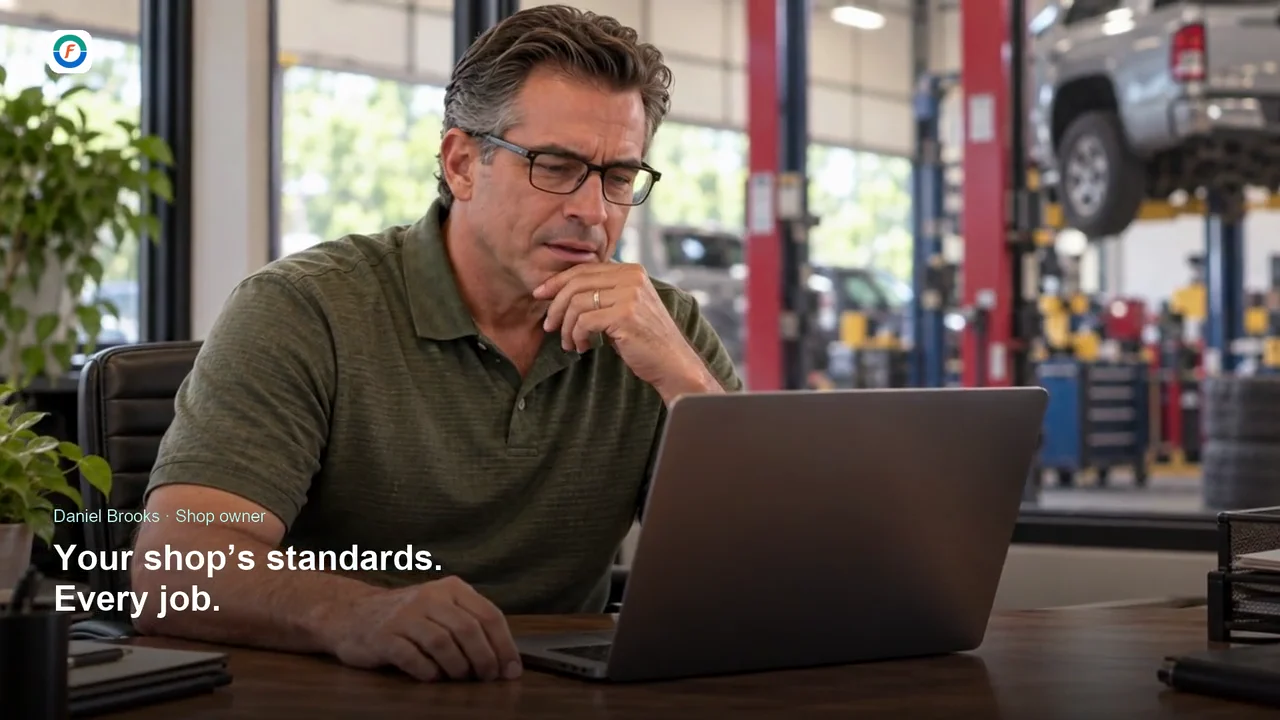
The quote is a number in a text message. The customer says “let me think about it” and drives off on worn pads.

Show them what the technician saw, next to the price.

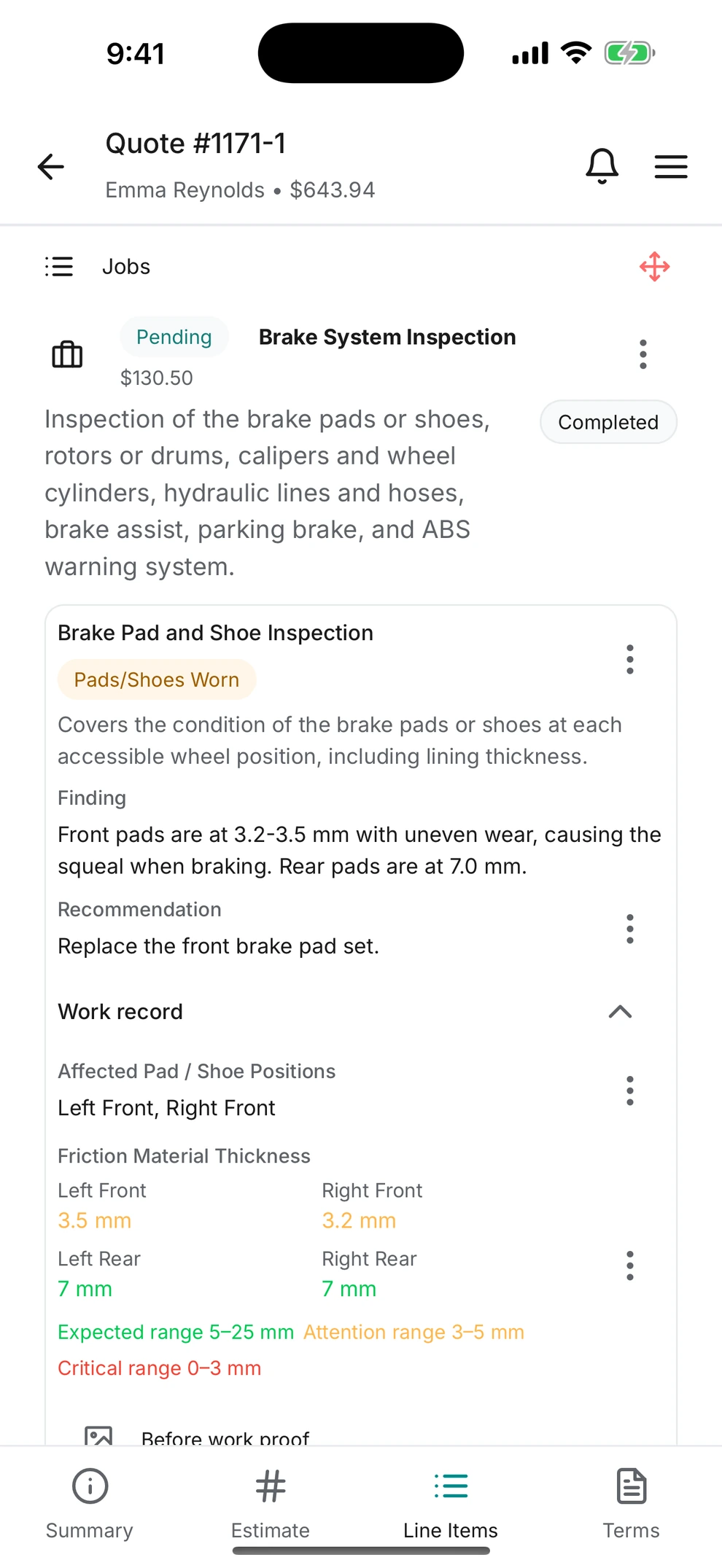
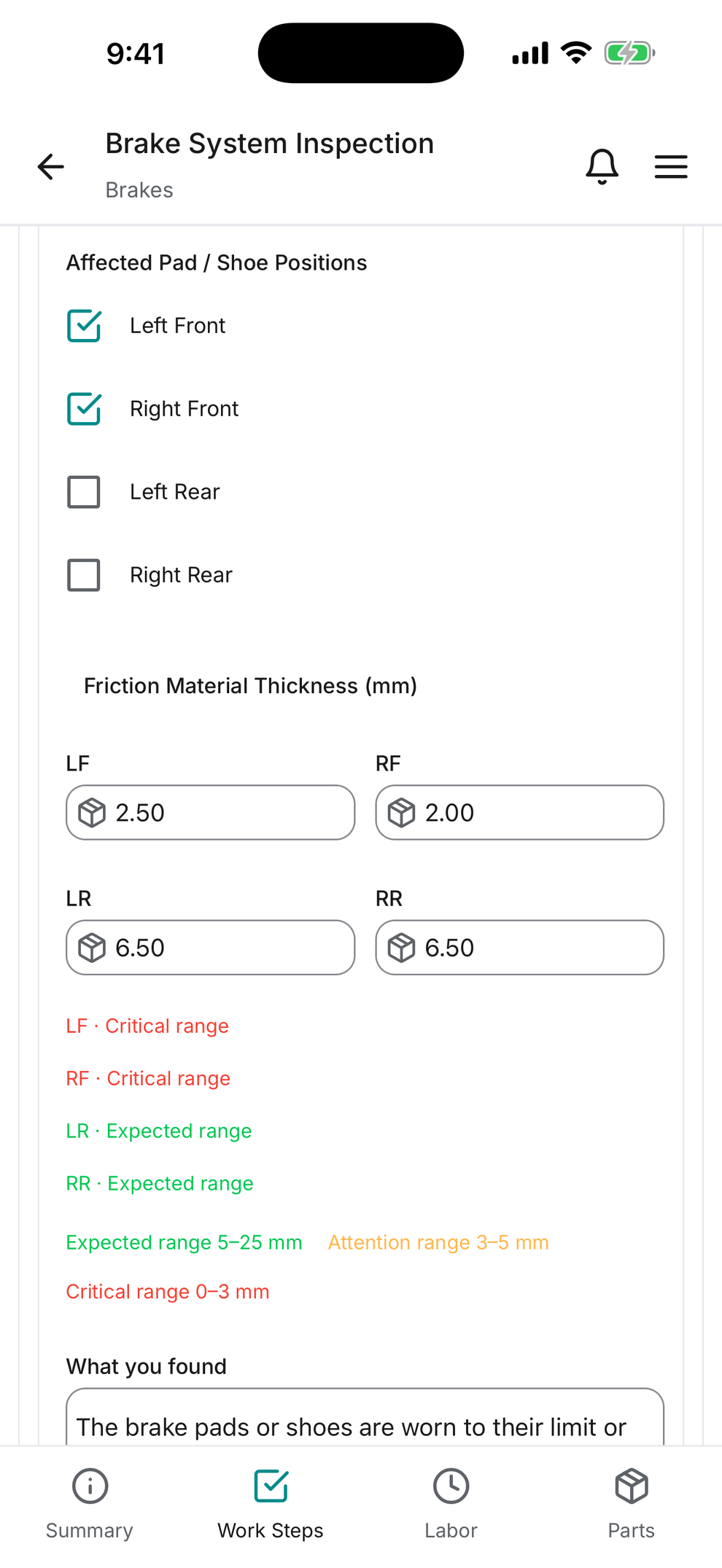
  • Technicians record findings on their phone, with photos, video and a mark on the photo.
  • Measurements are checked against the ranges you set. A 2.0 mm pad explains itself.
  • The quote carries the findings and photos. The customer approves it from a link on their phone.
Inspections and quotes in detail
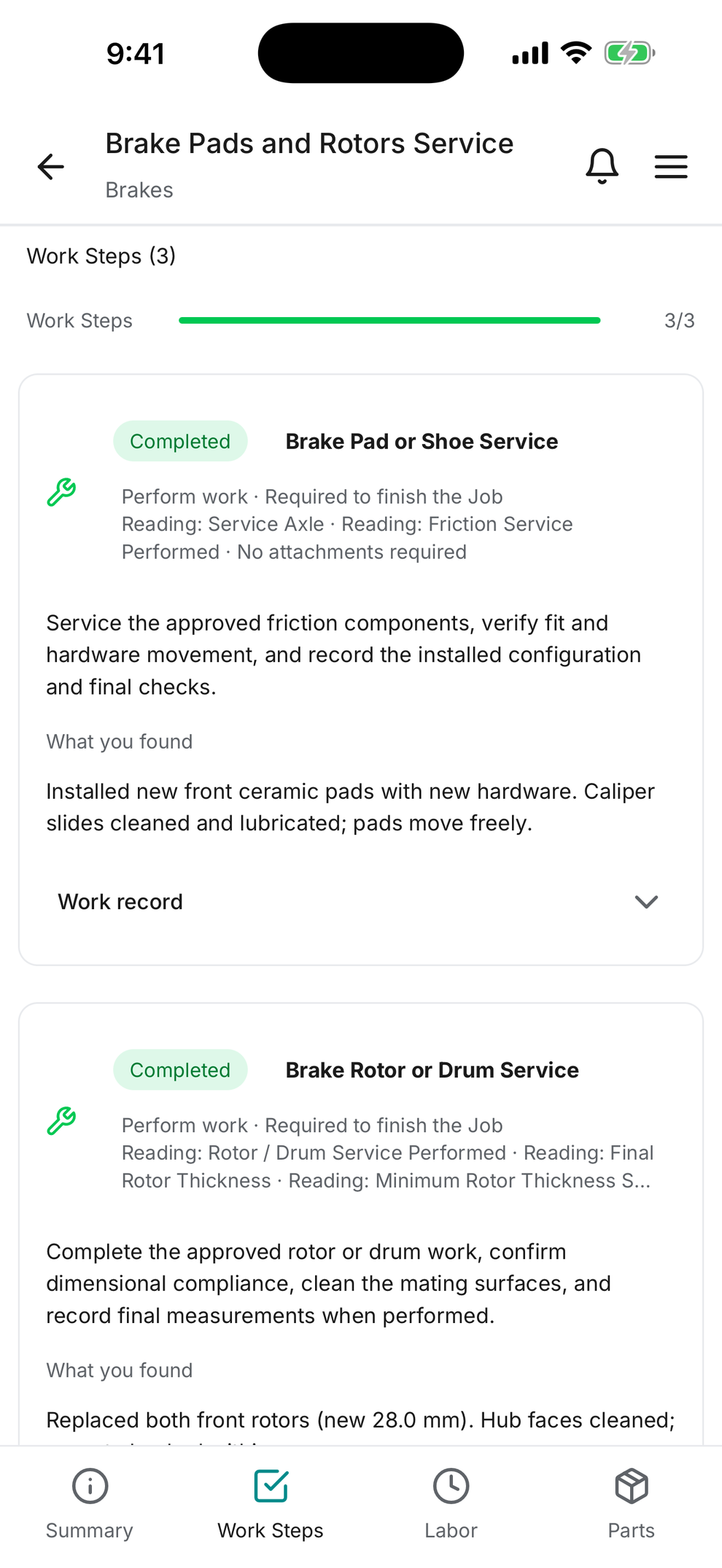
Brake System Inspection work step on a technician's phone with the friction material thickness flagged in the critical range Customer quote on a phone showing the inspection finding, the measurement ranges and the before-work photo

The same brake job comes out different depending on who writes it up and who does it.

Define the job once as a template. Everyone runs it the same way.

  • A Job template holds the steps, parts, labor and the evidence each step needs. Service Packages group them for a service.
  • Required measurements and before-and-after photos must be recorded before a step can be completed.
  • Keep templates per make and model. At check-in the app offers the ones that fit the unit.
Job templates and Service Packages in detail

Customers leave with services already overdue, and nobody offered them.

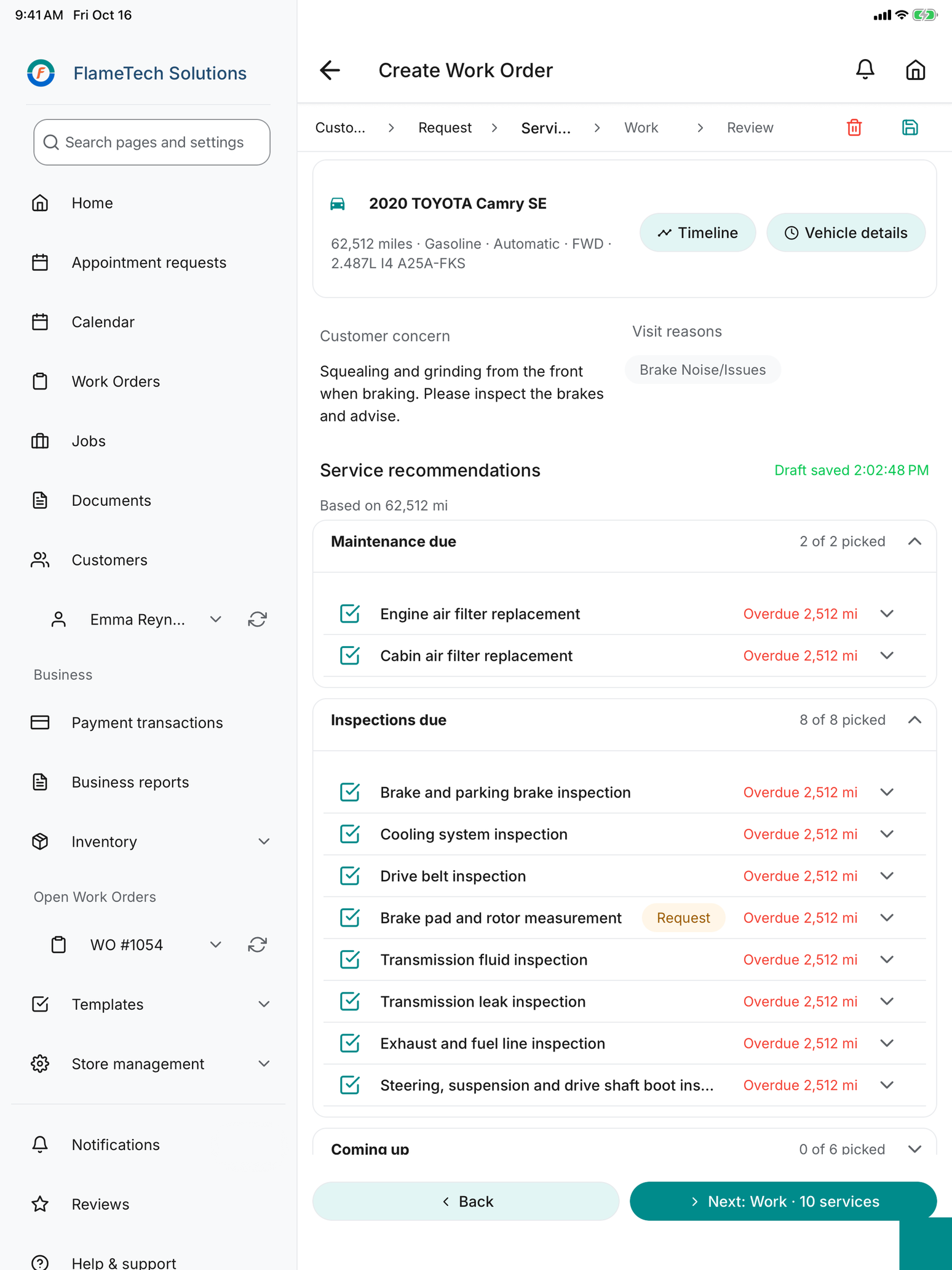
Show the customer what is due at check-in. Set the reminder before they leave.

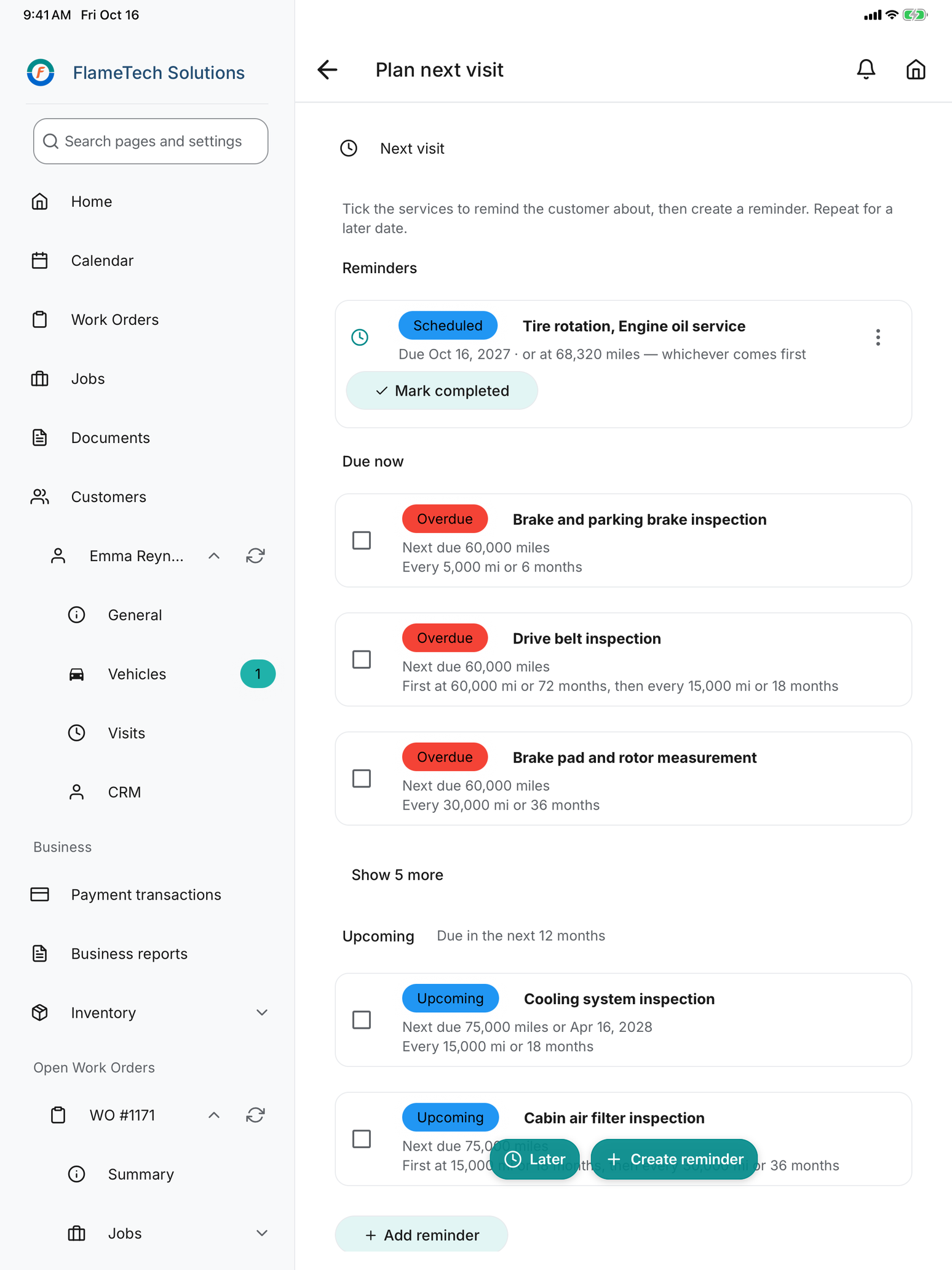
  • The vehicle timeline shows what was done here, what is due now and what is coming up.
  • Turn the tablet round. The customer sees the list, so the advisor confirms instead of selling.
  • Overdue items become picked services in one tap. At close-out, what is due now and upcoming becomes the emailed reminder.
History and reminders in detail
Create Work Order services step on an iPad: maintenance due and inspections due at 62,512 miles, each picked onto the work order Plan next visit on an iPad: a scheduled reminder, overdue items under Due now and services under Upcoming

The invoice is retyped from the estimate, and the money arrives whenever the customer comes back for the keys.

From finished work to a paid invoice without retyping anything.

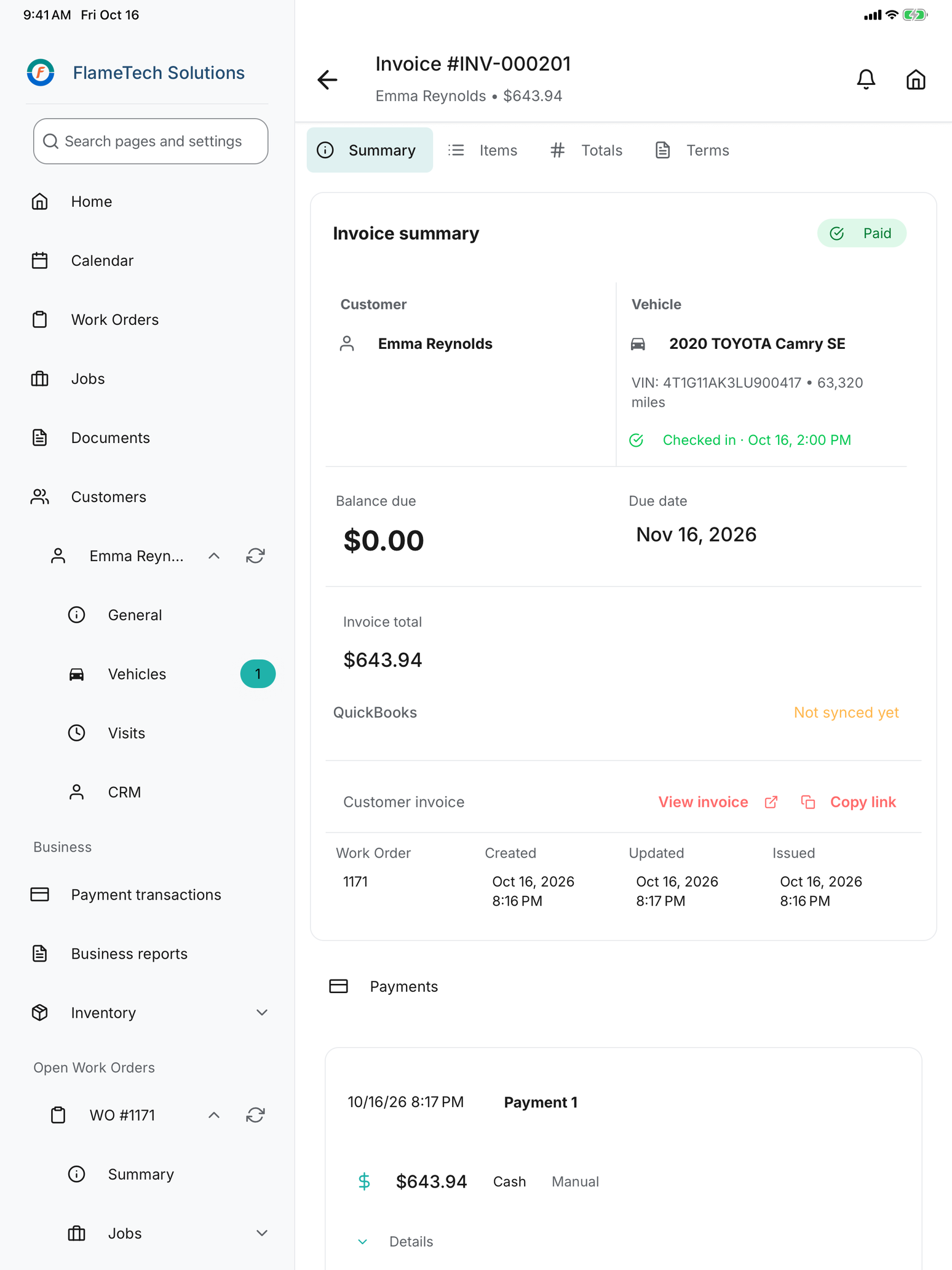
  • One-step invoicing from the approved work, with your tax, fees, discounts and warranty terms.
  • Cash, check, card and ACH, including partial payments. Refunds and credit limited to the people you choose.
  • Customers pay by card from the invoice link through Stripe. Records sync to QuickBooks Online after setup.
Invoicing and payment in detail
Invoice summary on an iPad marked Paid, with the customer, vehicle, balance due of zero and a recorded cash payment

The owner learns how the month went from the accountant, and what is stuck in the bays by walking them.

See the shop’s day and month from anywhere.

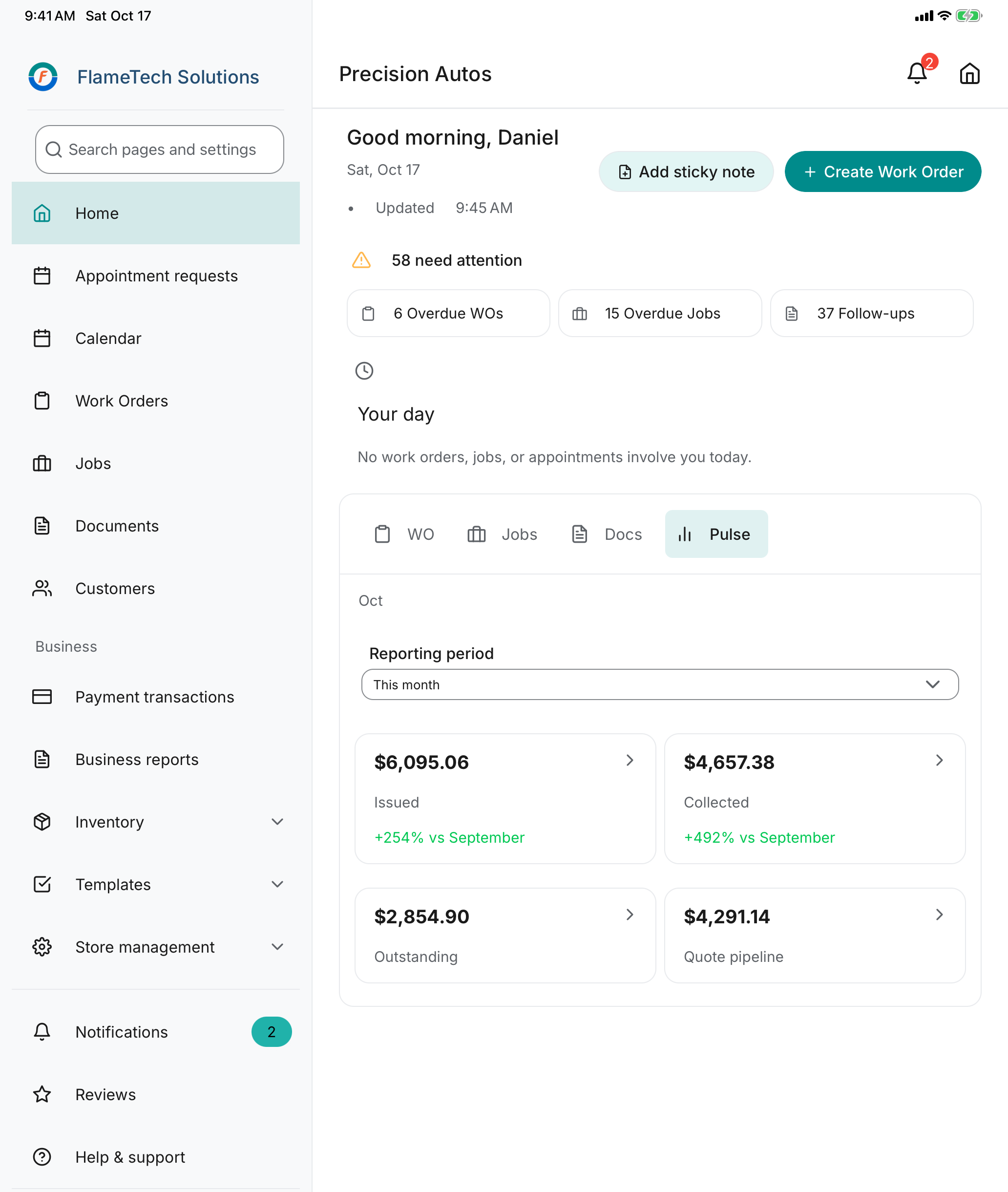
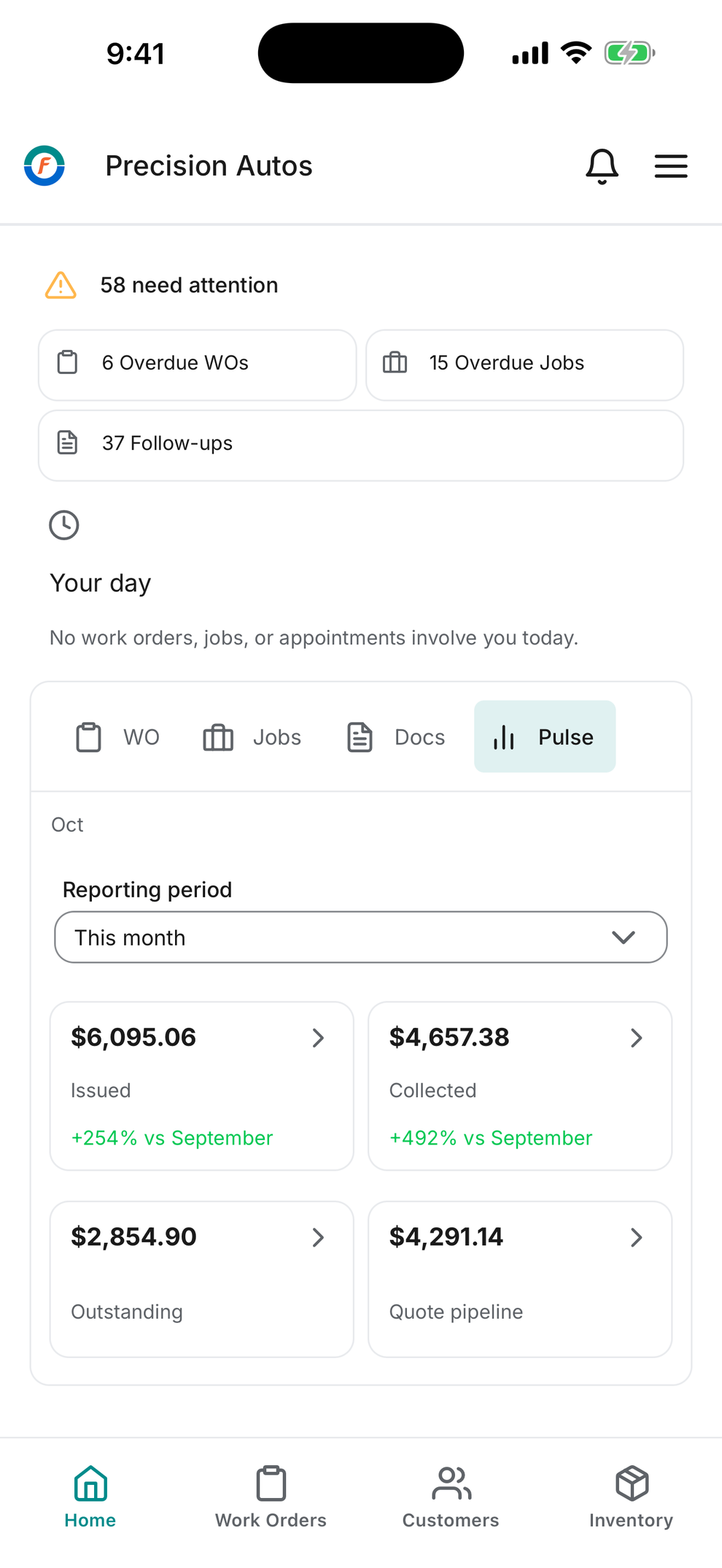
  • Home shows what needs attention: overdue work orders, overdue jobs and follow-ups, plus the month’s totals.
  • Revenue, receivables, pipeline, quote and inventory reports, without exporting anything.
  • The same account on desktop and phone, with a Home screen for each role and a shop calendar.
Reports and the owner’s view in detail
Owner's Home on an iPad: 58 items need attention and the month's Pulse totals The same owner's Home on an iPhone

Every shop writes the same brake job from scratch. The trick that saved you an hour stays in your head.

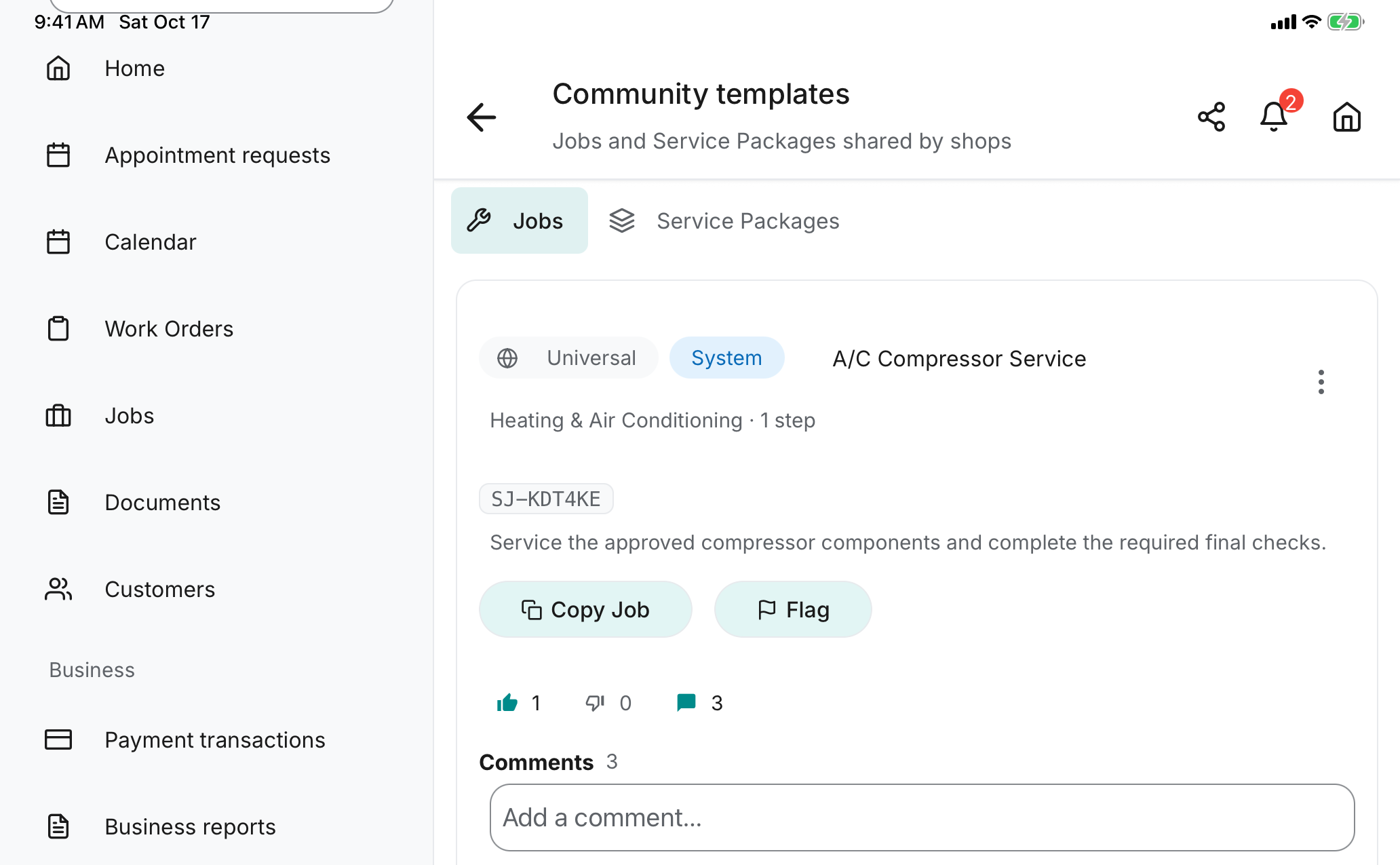
Share your Job templates. Start from the ones other shops have proven.

  • A shared Job template carries the steps, labor hours and parts list, including the non-OEM parts other shops use to keep the price down.
  • Share yours under a short code. Browse everyone else’s most liked first, and see how many shops use each one.
  • Read the comments before you adopt: what to improve, which alternate part worked, where the labor time was off.
  • Thumbs and comments are labelled by role, never by shop name, with a “Uses this template” badge. Comments are checked before they publish.
  • Adopt in one tap. Your copy tells you when the creator publishes a newer version.
Community templates in detail
Community templates on an iPad: Jobs and Service Packages shared by shops, with a System A/C Compressor Service job under code SJ-KDT4KE, Copy Job and Flag actions, one like, no dislikes, three comments and the comment box

Five things worth switching for.

Measurements with ranges

Set optimal, warning and critical ranges for pads, rotors, tread and fluids. A reading in the red explains itself.

Approval from the customer’s phone

The quote link shows the findings, the photo and the price. Approve or decline is one tap.

Job templates by make and model

Steps, parts, labor and required evidence, kept per asset type. At check-in the app offers the ones that fit.

Service timeline the customer can see

What was done, what is due now and what is upcoming, shown at check-in. Nothing has to be sold.

A community of shops

Share the templates that work, adopt the ones other shops have proven, and talk through improvements in comments.

Every item above is in the one plan. Nothing here is an add-on.

What’s behind it.

And the price

Free for your first 60 days.

Then $39 a month per shop.

  • One plan with everything on this site
  • Unlimited users, no per-user charge
  • No FlameTech fee on payments
Start free

No credit card. Cancel anytime, effective at the end of the current month.

Full terms on the pricing page

Founding shop program, 100 shops by application: 12 months free, then $15 a month per shop instead of $39, locked for three years. How to apply

Product screenshot

Zoom in to read the app. Scroll to explore. Press Escape to close.